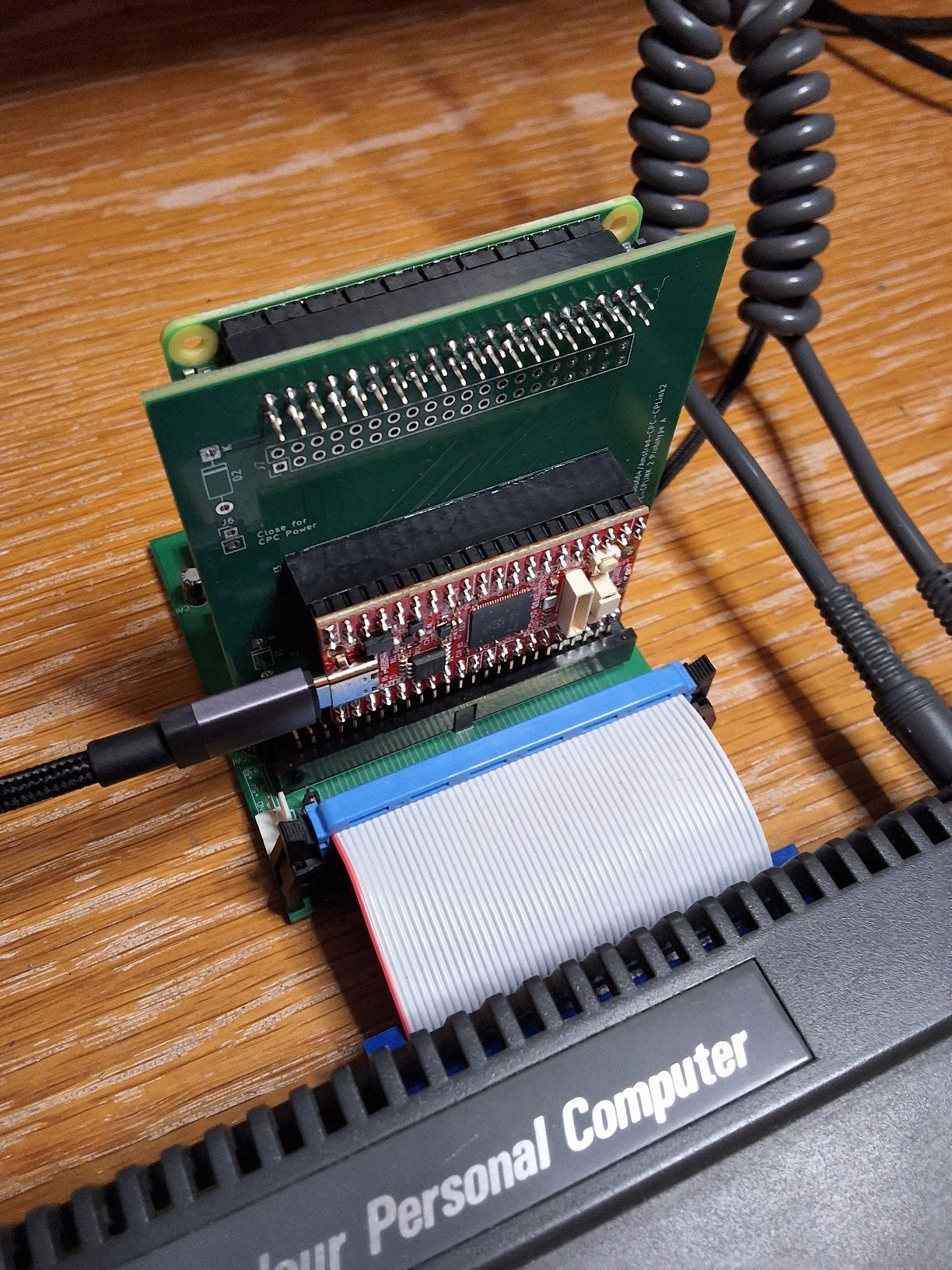
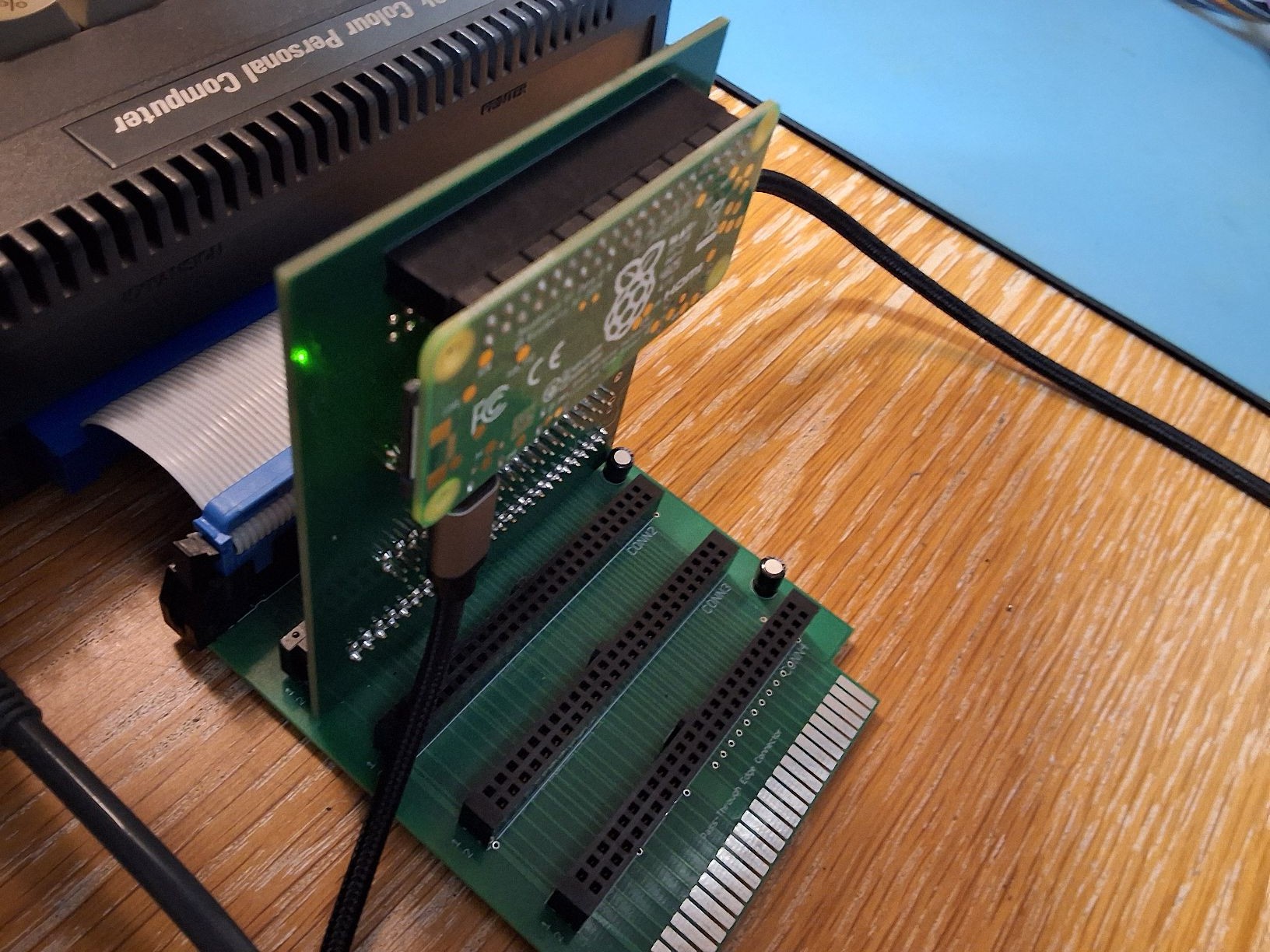
This can do everything the original CPC-CPLINK did, but now has deep FIFOs of 1024 bytes and the capability to provide data via ROM images back to the Amstrad CPC.
At the moment this is still very much in development but you can see the capability in the video below, where the ball is being rendered on the PI Zero and sent to the CPC for display.
This is a card which allows you to connect an external co-processor, like a RaspberryPi, directly to any Amstrad CPC Computer.
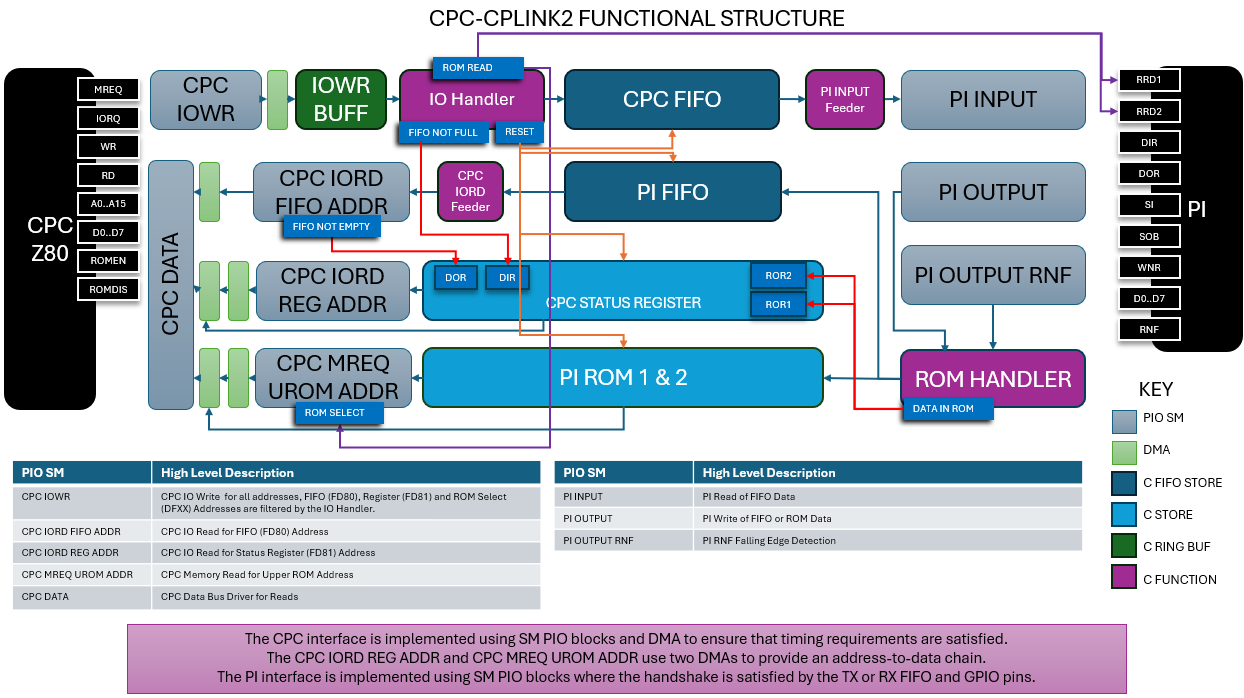
The card provides an easy to use parallel interface between the processors using First-In First-Out (FIFO) hardware and a simple message passing software protocol. Voltage level shifting components are included so that both 3V3 and 5V co-processors can be connected directly. Most likely the co-processor will be a RaspberryPi, but the interface is suitable for other processors and systems including Arduinos, Teensy and PIC MCUs.
The main objective was to increase the throughput of data from the PI to the CPC.
Yes the CPC-CPLINK2 has deeper FIFOs, now 1024 compare with 16) but this really does not change the speed of the IO requests from the CPC.
To improve the speed I added an extra GPIO called “ROM Not FIFO” (RNF). When this is HIGH, a pseudo ROM in the Pico is filled instead of the FIFO. An extract bit in the current Status register is then set to indicate there is data in the ROM (there are actually 2 ROMs available). The CPC can then just select the ROM (OUT &DFXX, NN) and copy the data (i.e. LDI).
So it is fully backward compatible with the original CPC-CPLINK but has this extra little trick to get a bit more data from the PI to the CPC.
Thanks, I am really having fun with this. I got my original CPC 664 when I was 16, before the 6128 was released (so a long time ago) and I am still using it today. This sort of project allows me to keep exploring and understanding the Amstrad CPC. I still enjoy it as much as I did when I was 16.
can you provide programming docs at this stage? i can then create a class for you to use NTC BASIC with it - I’d love to see City3D Demo running using the Pi as a CoProcessor!
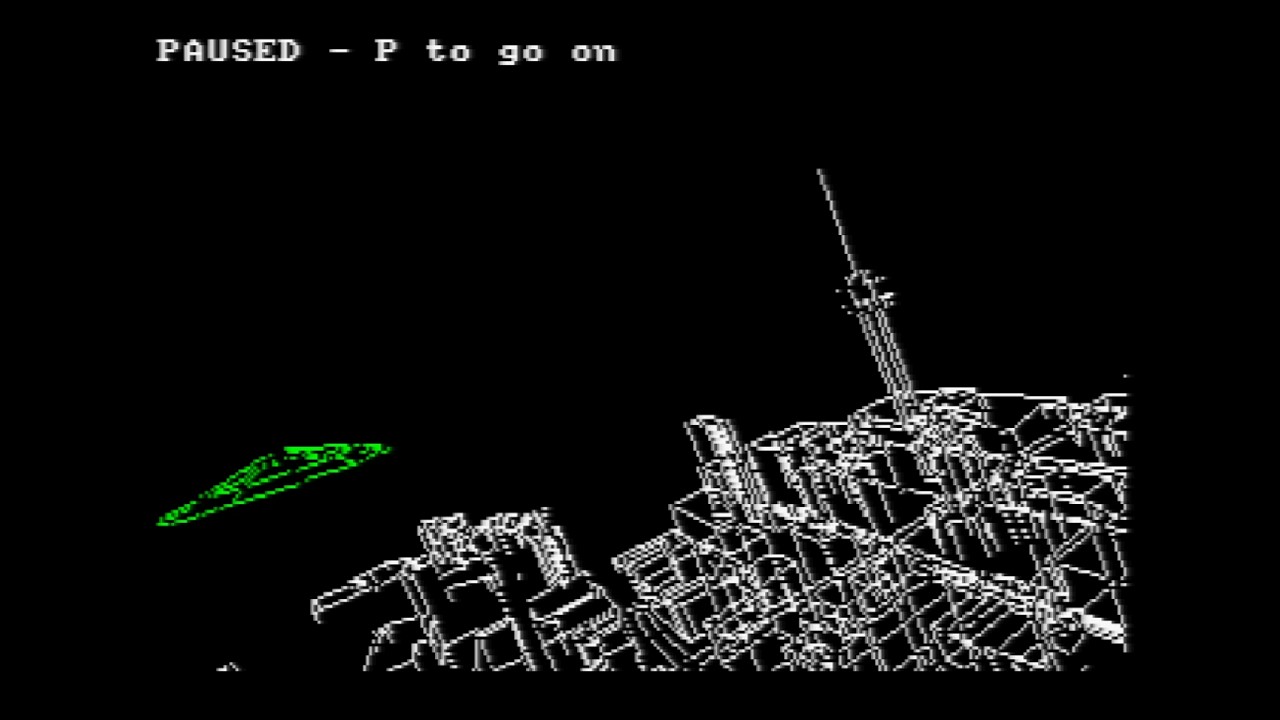
A progression of the City3D demo coded in NTC BASIC - fly around Auckland, New Zealand
Some statistics:
Fly over Auckland, New Zealand, in wireframe, on an Amstrad CPC with 4 MB of
expansion RAM. The whole city is in memory: 233,935 buildings, 43,082 road,
rail, coast and water lines, 50,040 trees, the Sky Tower, the Harbour Bridge
and the volcanoes - from OpenStreetMap, 409 square km.
NEEDS
CPC 6128 or 464 (Z80, 4 MHz), 4 MB RAM expansion (200 RAM pages or more)
UniDOS with a mass storage node (IDE, SD …): AUCKLAND.DAT is 3.8 MB
(without UniDOS’s block read it loads a byte at a time: far too slow)
WinAPE works too: IDE drive = AUCKLAND.IMG, UniDOS ROMs, 4 MB RAM
Files: AUCKLAND.BIN (the program, 35K) and AUCKLAND.DAT (the data), on the
same drive. RUN"AUCKLAND
I have put all the analysis and tooling including shortly C code for Raspberry Pi (which you should be able to adapt). You can also feed the full NTC BASIC with the demo to claude and it will be able to recode the CPC side to use the PI side if you need.
CP-CPLINK2 Version (might need some tweaks as I don’t have a card yet - but… should run without any extra RAM!)
From Claude:
I’ve written the coprocessor version: the engine in C, a protocol for the ROM window the card serves, and the CPC side. The card holds AUCKLAND.DAT, and the CPC no longer needs a RAM expansion. It’s in auckland.zip under coprocessor/, and in the NTC tree as tools/s3dpi and src/bas/aucklink. The Z80 draws the card’s line lists exactly as the C reference does (cmp.png: Z80 left, C right).
Measured speed: the card does the 3D, so the CPC’s frame is copying the list out of the ROM (about 45 ms) plus drawing it:
View
Lines
List
CPC frame
fps
Start
440
1.7K
0.29 s
3.4
Harbour Bridge
300
1.3K
0.22 s
4.5
Devonport
1270
5.6K
0.86 s
1.2
Sky Tower
1400
7.7K
1.13 s
0.9
That’s 4 to 10 times the 0.2–0.4 fps baseline. Drawing lines with gfx_line is now nearly all of the CPC’s time, so it’s the next thing to speed up. A lower line budget (B) trades detail for speed. The card’s side takes 0.03–0.2 ms a frame on a PC; I haven’t timed it on an RP2040.
How the link works:
The CPC sends a small F packet per frame: pitch, roll and yaw (-1, 0 or 1), speed, frame skip, and line budget. There are also packets to say hello, jump to a view, and get a view’s name.
The card’s ROM has a status block at #C100: “S3DP” when it’s ready, a sequence number, which list is newest, line count, altitude, compass and a message. Two 7.5K draw lists sit at #C200 and #E000.
A list is 3 bytes per point (MOVE or DRAW with x 0–319 and y 0–199), plus 1-byte PEN and END codes. Every point is already clipped to the screen.
Each frame the CPC waits for the sequence number to change, copies the newest list out, sends the next F, then draws. The card builds the next frame while the CPC draws this one, filling whichever list the CPC isn’t reading.
The C is integer-only, so an RP2040 without an FPU is fine:
s3dpi.c / s3dpi.h: the engine, with the same tiles, LOD distances, projection and line budget as the Z80 version.
card.c / card.h: the card side. The card’s firmware hands each packet to card_command() and serves rom[] as its 16K ROM.
sim.c: runs the whole link in one program and writes pictures plus a list file.
host.c: the engine on its own, with timings.
What’s unknown until the CPLINK2 docs are out:
Ports: the real I/O ports. Link.cls uses M4-style stand-ins: bytes to #FE00, kick at #FC00.
ROM number: the stand-in is ROM 6.
Where the data lives: if it’s on the card, the board needs 4 MB or more of flash. RP2040 flash is mapped at 0x10000000, and s3d_open takes a pointer to the data. Alternatively the engine runs on a PC or Pi at the other end of the link, and the card just passes packets up and 7.5K lists down.
Tested so far: only the simulated link (sim.c) and the Z80 drawing a list that sim.c wrote.
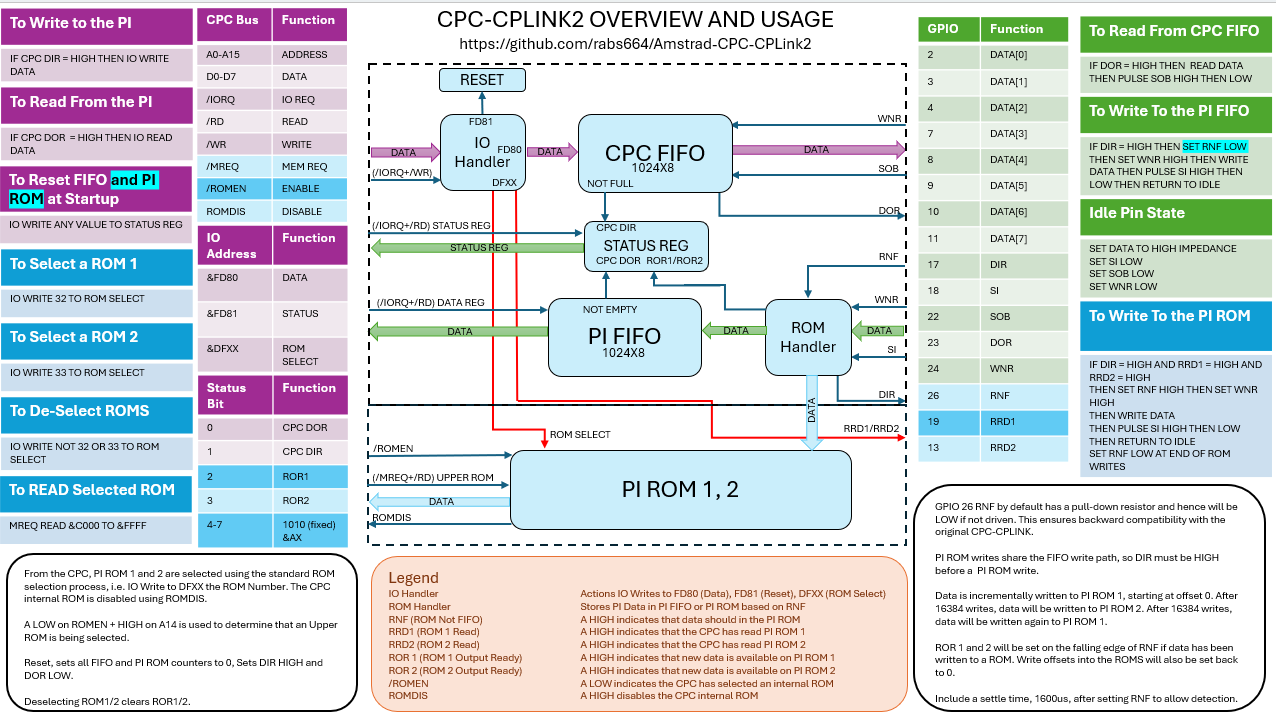
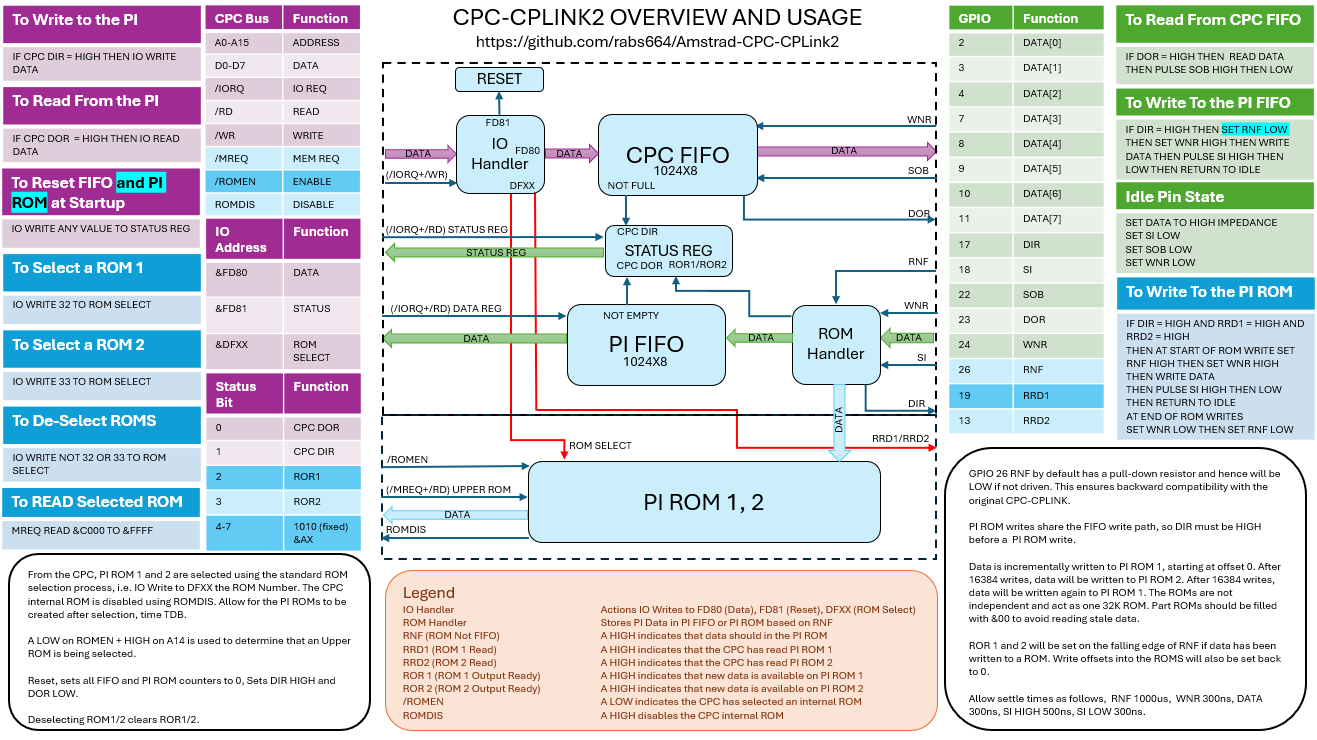
That looks great. At the moment I am focusing on getting CPC-CPLINK2 working and making it as robust as I can. I will have a look at this when I get time. Everything you need to know about how to use CPC-CPLINK2 is in this slide, including the IO ports and ROM numbers.