I’m Skate / Plush from Commodore 64 scene. I’ve been working on a new platform called Crafticle, built around creating digital art while keeping the whole creation process as part of the artwork.
It already includes a dedicated editor for Amstrad CPC, so I’d really appreciate it if some of you could give it a try.
Please consider this a closed beta for now. Sign up, create something, break things, try to find bugs and if you run into a problem or have a feature request, I’d really appreciate it if you could send it through the Feedback section.
I’m especially interested in feedback from people who actually use Amstrad CPC, so don’t hesitate to tell me if something feels wrong, is missing, or could work better.
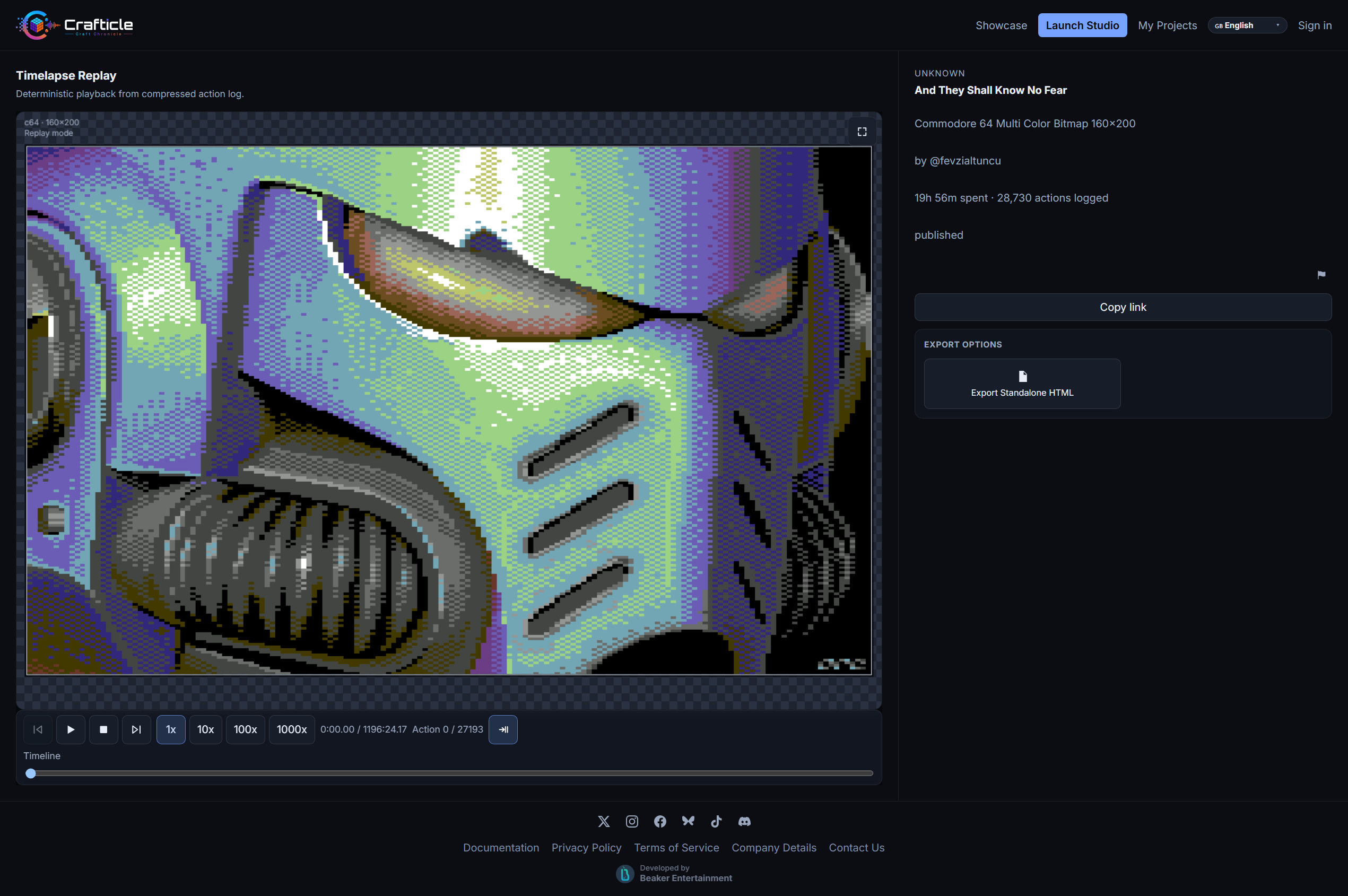
Here is an example Commodore 64 pixel timelapse:
Crafticle - Your art, your process, your chronicle
Years ago, I spent hours using Smart II to make images on the Amstrad with a joystick, and this lets me make the same CPC-constrained images using the mouse. Very impressive!
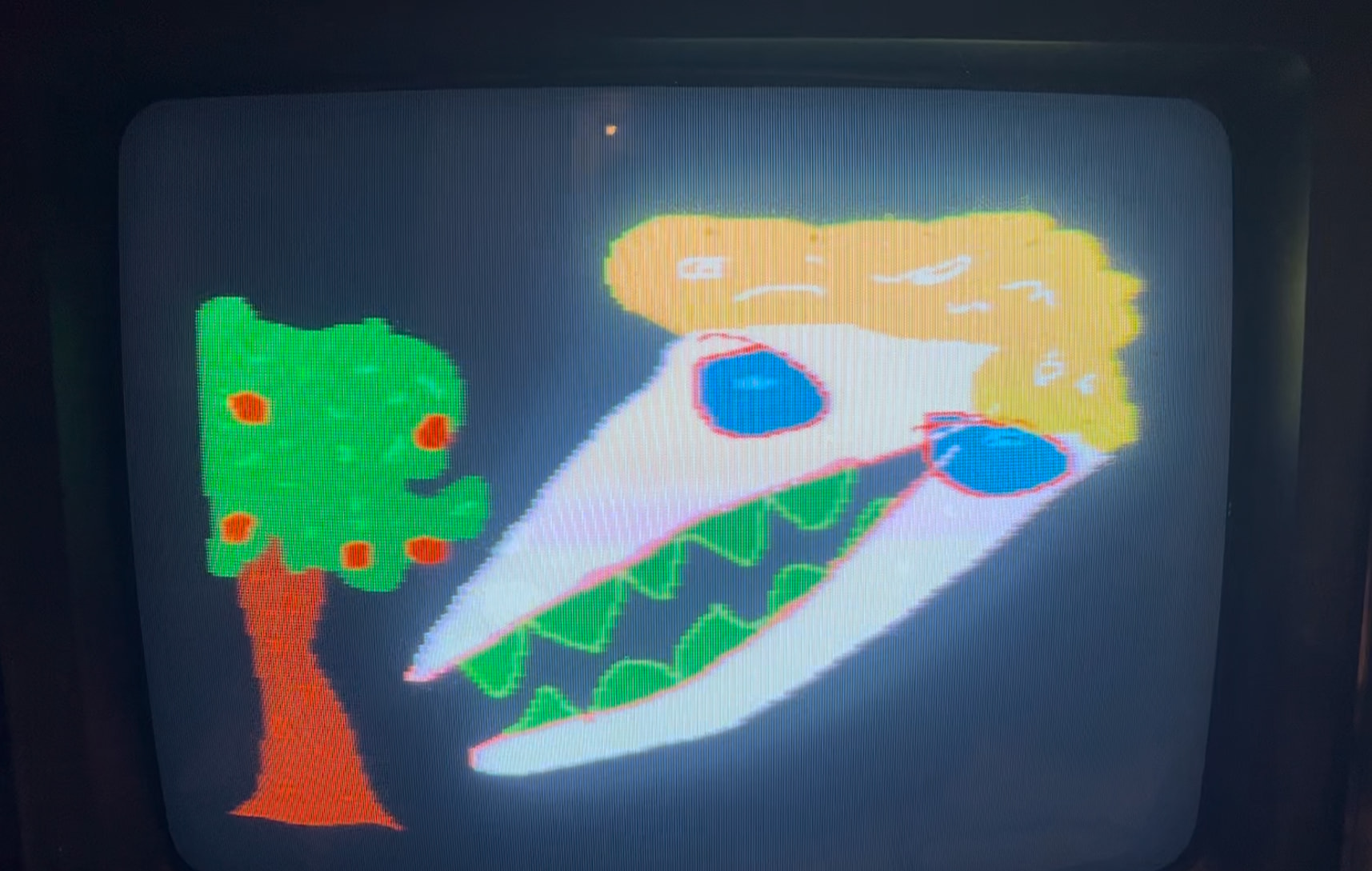
The export to dsk function is great, here’s a Picasso-eyed monster eyeing up an apple tree I just created, and then converted to cpr, running on my GX4000
Sounds like a very cool project, will definitely have a play over the weekend and see what it can do. One thing that would be nice is the ability to support the Plus 4096 colour palette range (especially if you can support the non-linear nature properly) as I always liked having a bit more range in my colour choices.
A nice addition would be to have a dithering brush (like ordered bayer) between the 2 selected color… With the density as a parameter. Or a noise.
It will ease creating cool transitions between colors.
But I am not an artists myself (even more not a old computer artist), so don’t take it as a strong request.
For me as a coder and non-graphics-artist it looks still like magic, even if broken down to single steps: A sketch, some dithering here and there, rounding and refining coarse lines, and slowly a really cool looking image appears.
I also tried to draw a little bit, but more for testing the UI. There were three things that maybe can be considered:
Supported are only the default image sizes. But many games and demos use overscan images. The maximum visible size is 192x272 (mode 0), 384x272 (mode 1), and 768x272 (mode 2). So maybe these could be added to the startup dialog.
Usually there is no color clash on the CPC. Some tools (e.g. rectangle select) snap to a hidden grid, but could operate on pixel basis for the CPC.
Although the number of colors is limited, it can be extended by using rasters or split rasters. This also introduces things like possible color clash. But I do not have any idea how this can easily be implemented in the UI.
The support of overscan screen modes is the obvious thing that is missing. However, did anyone try to import an image and continue working on it within Crafticle?
Thank you for all of your feedback. I own an Amstrad 6128 and i coded some 3d engine stuff (unfinished) but i’m not a real Amstrad user or scener. I just follow Amstrad scene for many many years now. To be honest i don’t know the details about the graphic modes so i used most common and easy to implement ones. But Crafticle has a single pixel-art engine for all modes. So, it’s really easy to add a new graphic mode like adding a new config file to the system without changing any code unless it has some new feature engine doesn’t support. In this case, i add this required new feature to the engine then add the new graphics mode.
Thank you for your feedback, i’ll examine all of your suggestions, make my research and do necessary updates. Please keep trying the editor and give me your feedbacks. You are to CPC guys, i need your support for this platform. I’ll soon add music tracker for Speccy and CPC as well. Even if i do things theoretically reading documentations, i know it will always be incomplete without real CPC users/sceners’ support.
I also tried to import a reference image. But nothing happens. In a small dialog window the program offers to align the image to the canvas. But it is not visible afterwards. Maybe I’m missing a view setting, a transparency control, or something similar?
Edit: I missed something! At the lower right there is an options dialog for the reference image.
CPC Overscan and Custom modes are now released, waiting for your tests.
I tried multiple emulators and they act slightly different, so my implementation may not be perfect yet. But I tried to fit screen edges as much as I can. For instance, the output image looked like it was starting from one raster line below in emulators, so I shifted one char up and 7 rasters down to match the edge. I know real TVs and CRT monitors differ and many of them have controls to slide and stretch the picture, but I tried to match emulator edges for now. Soon, I can add some guides for safe visible area, etc. But please test this initial overscan support first.
ps: if you sign up and send feedbacks from the system as a user, i can reply you and you can see ticket status updates. you can send me a feedback as a guest but then it gets harder to communicate.