Just a note: found a very small issue when input a BASIC program within the emulator and then using the “BASIC” function > “From the machine” which transfer the BASIC program into the external window for editing. It seems that the transfer of floating numbers is wrong (at least after some decimals). E.g. “FOR a=0 to 6.4 step 0.3” creates “FOR a=0 TO 6.400000000372529 STEP 0.30000000004656613” into editor.
1 Like
interesting!..i hadnt noticed that… ill fix it in a few hours!
CPCSyntaxError v0.14.3
BASIC window: real numbers are correct
- “From the machine” now shows real numbers as BASIC 1.1’s own LIST shows them.
- Before, a line such as
FOR a=0 TO 6.4 STEP 0.3came into the editor asFOR a=0 TO 6.400000000372529 STEP 0.30000000004656613. - Cause: BASIC keeps a real number in 5 bytes (about 9 digits). The window printed it with all the digits of a PC number.
- Now the window writes the shortest number that gives the same 5 bytes back. The format is the BASIC LIST format:
6.4,0.3,0.00001,1.23456789E+09,1E+10,2.5E-20. - When a number needs a 10th digit, the window keeps it, so “To the machine” puts back the same bytes.
- Tested on the 464, 664 and 6128 BASIC ROMs.
Thanks for reporting HAL6128!
3 Likes
Thanks 
1 Like
some new bits added… picogx doesnt have its menu yet…but MCP server added and a couple more CRTC fixes ..i did another pass with claude looking at every screen and making sure all the displayed text is the same against real CRT images…CRTC should now be 100% complete as much as possible).. anything that doesnt work is due to the monitor emulation…
CPCSyntaxError v0.15.0
MCP server for AI agents
- AI agents (Claude Code, Claude Desktop, Cursor, VS Code and others) can now drive the emulator with the Model Context Protocol.
- Turn it on in Settings → External debugging → MCP server, or start the emulator with
--mcp. It is off until you turn it on. - The address is
http://127.0.0.1:6129/mcp. For Claude Code:
claude mcp add --transport http cpcse http://127.0.0.1:6129/mcp - 23 tools: load and run files, type, press keys, read and write memory and registers, breakpoints and watchpoints, step, run frames, wait for a stop, disassemble, and screenshots (sent to the agent as images).
- It answers only this computer. A request from a web page is refused.
PicoGX cartridge
- The PicoGX SD-card cartridge ( GitHub - Neo2003/PicoGX: Universal cartridge for Amstrad Plus and GX4000 · GitHub ) is in the Cartridge window.
- Choose a folder to be its SD card, then pick a CPR, BIN, CRO or DSK file from it. The list shows the folders and files as the PicoGX does, the last cartridge, an AutoFlash cartridge from
PicoGX.cfg, and the.txtinformation beside a file. - Programs can use the PicoGX’s 16 KB save (
saves/<name>.SAVon the card) and cartridges up to 1.5 MB, as its Programming.md describes. - Command line:
--picogx <folder> --picogx-launch <file>. - The PicoGX’s own menu program is not published, so the Cartridge window is the menu.
CRTC fixes from a review of every SHAKER screen against the real CPC photos
- The Gate Array’s VSYNC black band now starts on the character where the VSYNC starts, at each chip’s own pixel (ACCC 16.2.1). Before, it started on the next line. SHAKER DT/A on CRTC 0, 1 and 2.
- CRTC 2: when R5 adds lines after the frame’s last row, those lines now show the memory after the last row, and only the next frame starts again from R12/R13 (ACCC p.82). SHAKER AP/J, AP/K and BRETURN.
Other changes
- 464 and 664 with a ROM board that uses RAMDIS: writes still go to the internal RAM, as on the real machine. Only the 6128 takes its RAM off the bus.
2 small points:
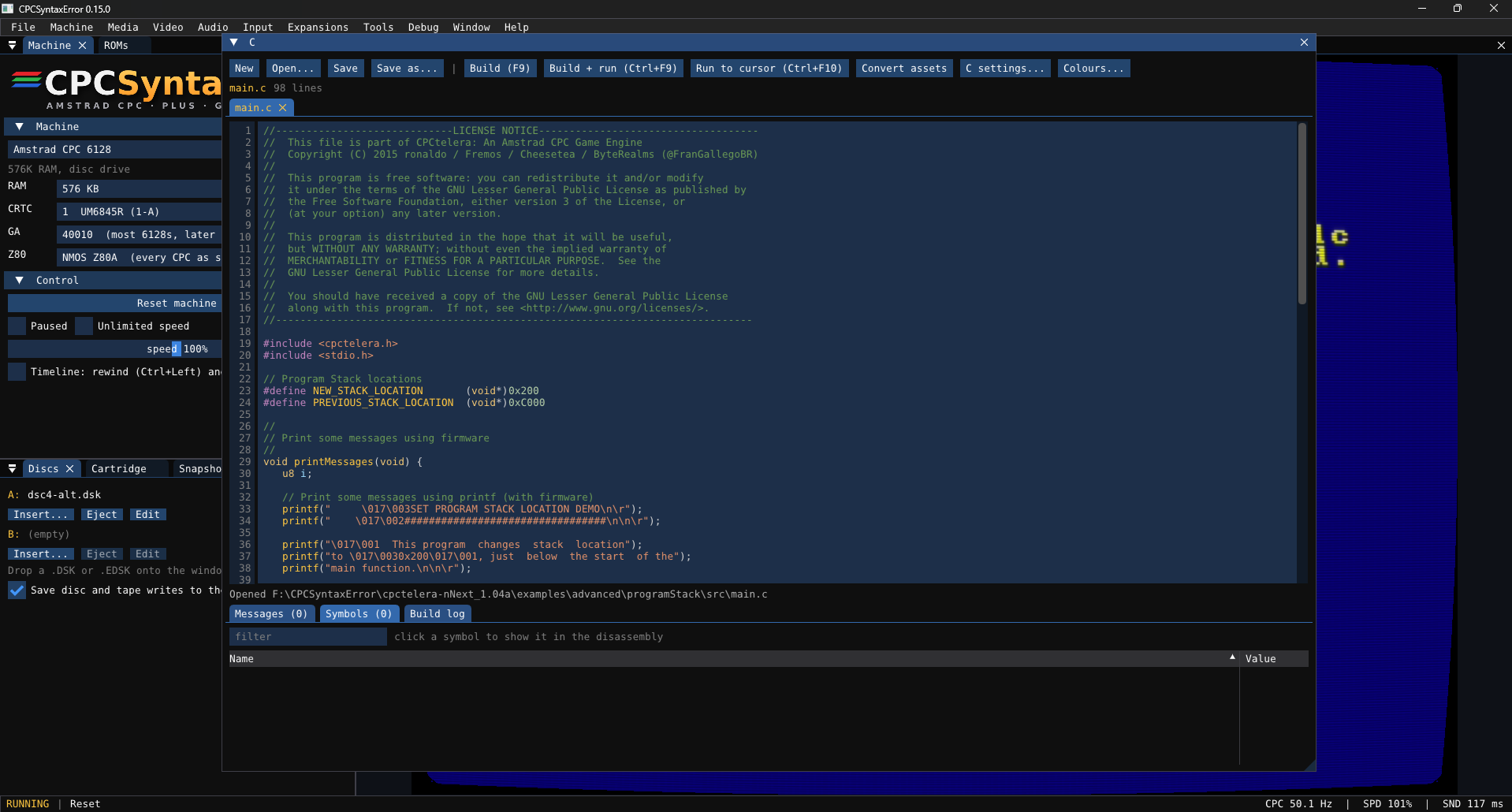
- Value window in C / ASM cannot be resized. On my screen, it is only 2 lines which is way too small.
- When main window is not maximized, I have a lot of flickering when hovering mouse above C/ASM buttons. I am on lubuntu, don’t know on other OS. No issue when maximized…
what system are you on?..EDIT: derp missed youre on linux.. ill see what i can do later today
the messages/symbols/build log area cannot be resized directly.. but if you expand out the window and resize it the message area becomes larger… i will get it to make it resizable tho.. oh i see that value field now!.. ill fix that tomorrow!
i dont see any flickering… it maybe the tooltips trying to show?
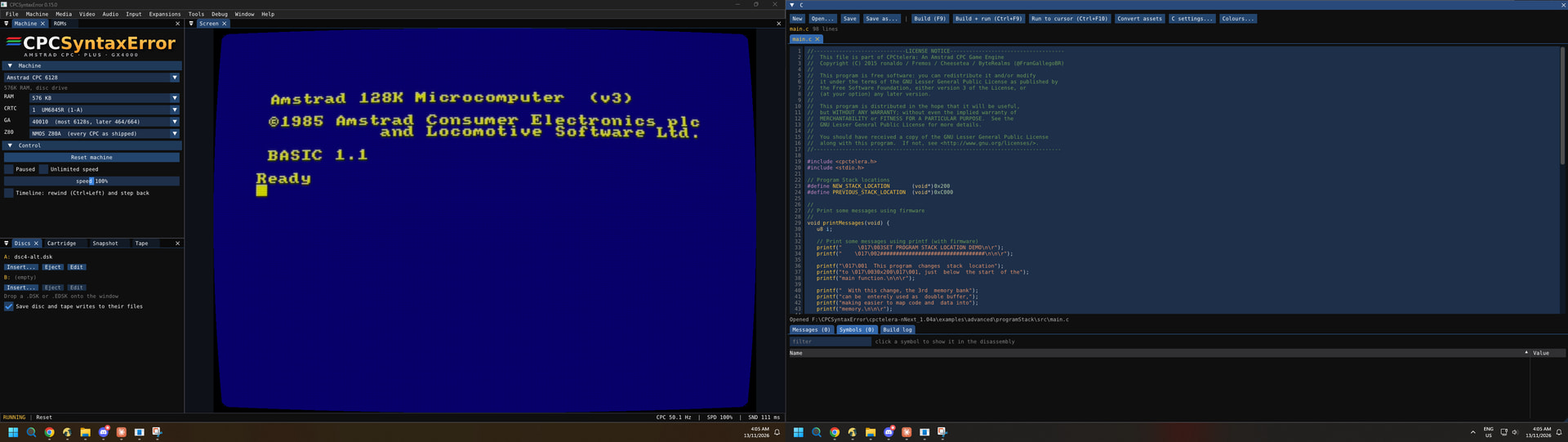
if you have multiple monitors you can move the whole C/ASM/Basic (and others) windows to the other screen ..eg…
I’m running Lubuntu on an old laptop (i3 7000 - no graphic card, it explains why I choose lubuntu  ).
For the moment my C windows in on the bottom of the main output. And it happens when I hover buttons that are on the right of screen.
1 Like
it sounds like the tool tips.. the right side buttons all have tooltips while ones in the middle dont…
It seeems linked to tooltips, but not only.
-
‘New’ has a tooltip but does not trigger the flickering
-
Right size buttons have tooltips that triggers it
-
If window is not touching the right side of screen, the trigger appears
if it touch the right side, there is no flickering
-
If the C window is undocked, the right side of the main window triggers a flickering of the main window (C window does not flicker)
So: if tooltip of C window is overriding the right side of main windows, there is flickering of the main window.
Hope you will find something with that. Here is video capture of the issue.
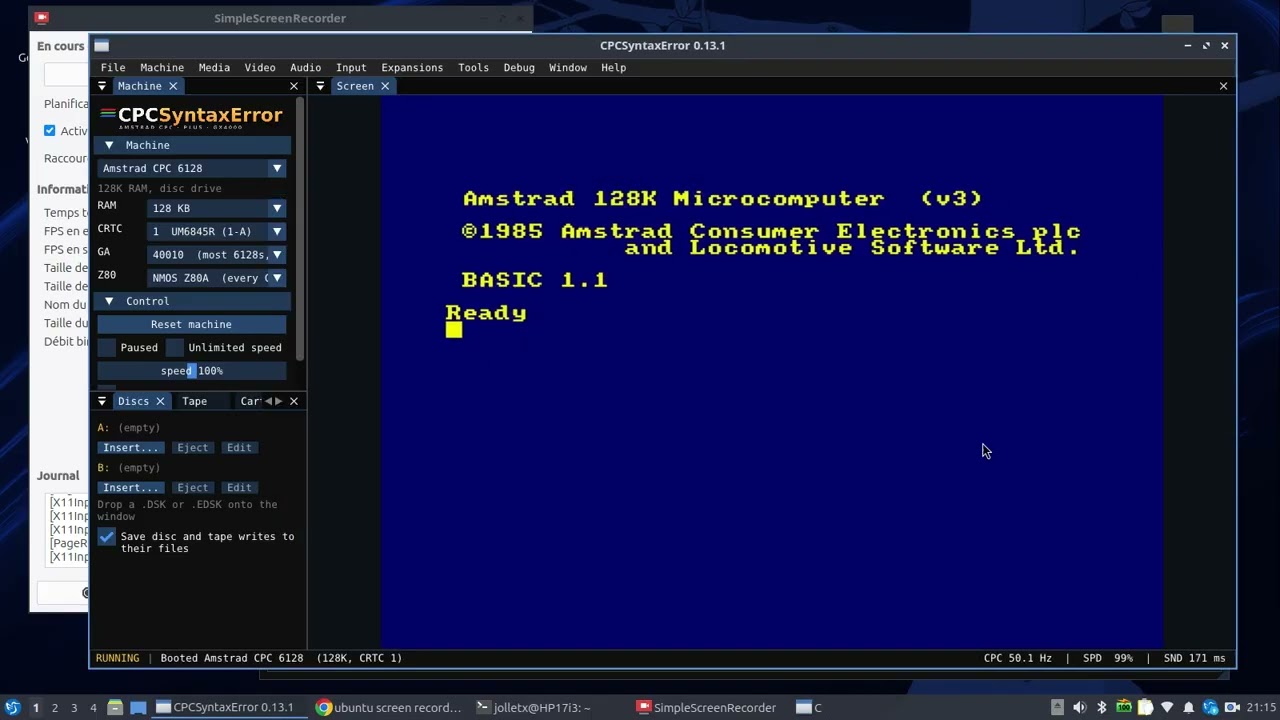
thats the openGL driver swap interval in your linux… your window isnt even maxed..just touching the right of the screen…
try disabling vsync and see if that fixes it
C/ASM window fixed… im not sure about the tool tips, you’ll need to test for me please @SagaDS ..seems its an issue with X11, and works fine with wayland compositor.. but theres a couple of things changed that might fix the flashing..and an option to turn off separate os windows that might help if the changes didnt fix it…
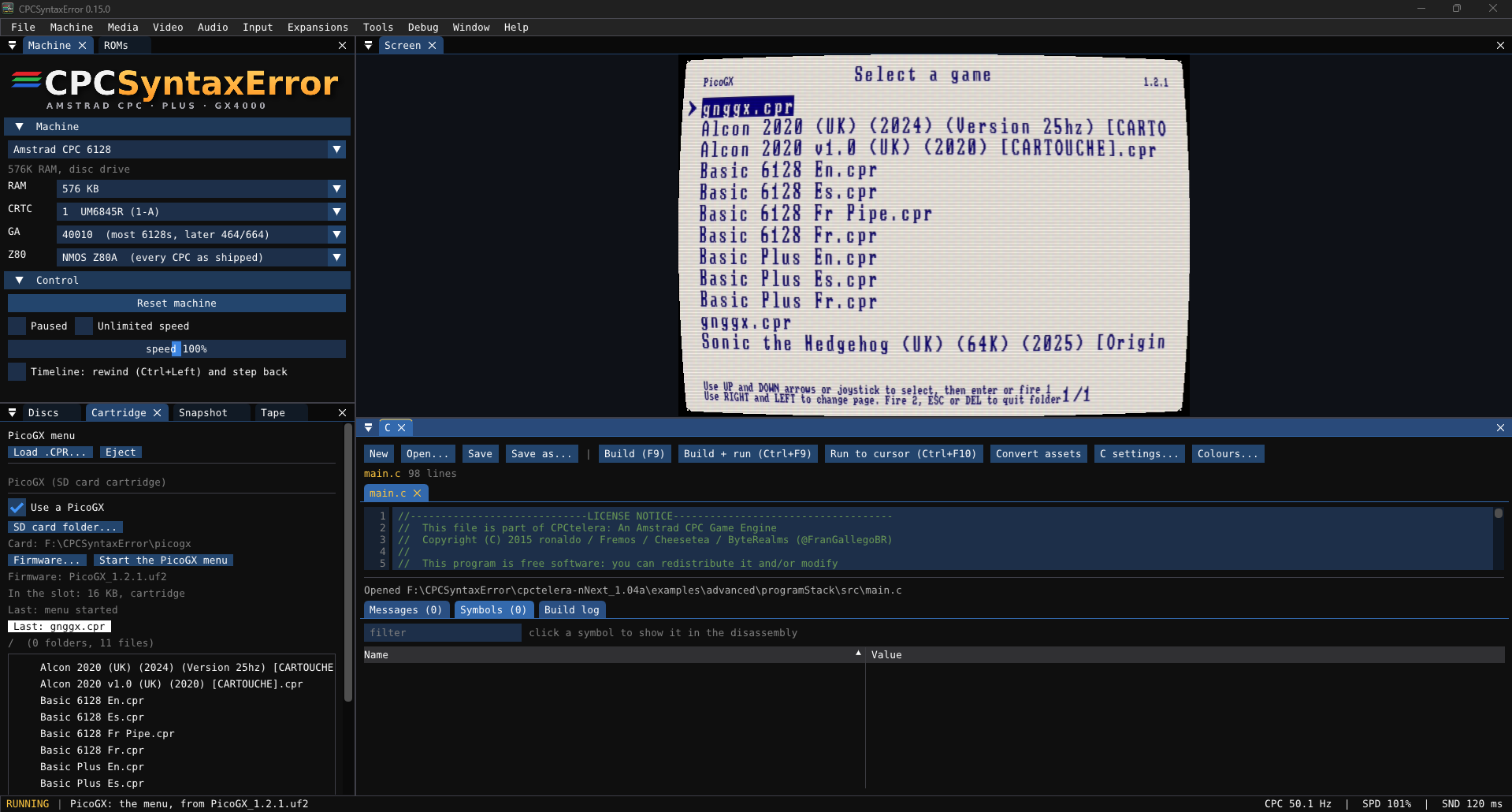
picogx is now complete too! …you will need to point it to the picogx uf2 file so it can grab the menu code…
and the exe/bin’s now have an icon!
CPCSyntaxError v0.15.1
Program icon
- CPCSyntaxError has its own icon now.
- Windows: the .exe has the icon, so Explorer, shortcuts and the task bar show it.
- All systems: the window has the icon (title bar, task bar and window switcher).
- macOS: the .app has the icon. Linux: the package has
cpcse.pngfor a desktop shortcut, and the Flatpak uses the new icon.
PicoGX: its real menu
- If you have the PicoGX firmware file (
.uf2, from the PicoGX releases), the PicoGX’s own menu now runs on the CPC screen. - In the Cartridge window, select Firmware (.uf2)…, then Start the PicoGX menu. From the command line:
--picogx <folder> --picogx-menu <file.uf2>. - The menu shows the SD card folder. You can enter a folder, go back (ESC), change the page, show the
.txtinformation of a file (P), and launch a file. - The emulator reads the menu from your own firmware file when you start it. The firmware is not included.
PicoGX on and off
- The Cartridge window has a Use a PicoGX switch. When it is off, the machine has no PicoGX.
- If you turn it off while the PicoGX is in the slot, the machine starts again without a cartridge.
- It is off for a new install. If you chose a PicoGX SD card folder in v0.15.0, it stays on.
C and assembler windows
- Drag the bar between the editor and the messages to change their sizes. Double-click the bar to go back to the first size. Each window keeps its size.
- The Symbols table has a wider Value column that you can resize. It shows the value in decimal too.
Linux
- On some Linux desktops the whole window flashed when a tooltip opened. The emulator now tells the X11 compositor not to stop for its window.
- If it still flashes, turn off Window → Windows can leave the main window (or start with
--no-os-windows). Tooltips and windows then stay inside the main window. This takes effect at the next start.
1 Like
ohhhhh yeah PigoGX , thanks 
1 Like
works on non-plus too (with non-plus games!)
1 Like
That’s odd. I’ve never had any of those issues using Imgui/OpenGL/SDL2 (as I believe your stack is) for my own projects, even with the multiviewport branch.
1 Like
i looked it up and it seems to be a common issue on linux+imgui…hopefully the changes will fix it..
it had somethin to do with the tool tips being too big and trying to render outside the screen..which would force the main window to reload..
tbh i think its a broken openGL implementation on intel igpu…
9ooh, Linux (Ubuntu 26 with XFCE) is my main development platform. I need to investigate. That said, in my project, i do custom tooltipping (if that’s not a verb, it should be) always inside the main viewport.
1 Like
its pretty much done for now.. unless i find any bugs or missing bits…
now i have an emulator, im going to use it to help design a graphics/math accelerator..and get it all tested and software built before the hardware is built!
CPCSyntaxError v0.16.0
Fast disc loading
Two new settings in the Discs window and the Media menu. Both are off until you turn them on.
- Turbo: while the disc drive works, the whole CPC runs faster (up to 20 times, or as fast as your computer goes). When the program starts, it runs at normal speed again. Every loader works, protected loaders too. The status bar shows “DISC TURBO”.
- Instant loading:
- The files and sectors that AMSDOS reads go into memory at once:
LOAD,RUN",CAT,|CPM, and loaders that use AMSDOS’s sector command. There is no wait for the motor and no wait for a seek. A 20 KBLOAD"takes 0.1 s instead of 5 s. - Loaders that drive the disc controller themselves get each sector without a wait for the disc to turn. The bytes still come at the speed of a real drive, so their read loops work as on a real CPC.
- Protected sectors (CRC errors, deleted data, weak sectors) keep the timing of the disc.
- It works with AMSDOS on the 464, 664, 6128 and the Plus, and with ParaDOS. Other DOS ROMs load at the normal speed (use Turbo).
- Command line:
--disc-instant.
- The files and sectors that AMSDOS reads go into memory at once:
Security audit
A full audit of the code added since the last one, with new fuzz tests and AddressSanitizer and UBSan builds.
- Albireo (CH376): a program on the CPC could create a file such as
..\..\NAMEand so write outside the folder of the USB stick or SD card. It could also create files with the names of Windows devices (CON,AUX). This is fixed. The file layer of the M4, IDE, SYMBiFACE and Albireo cards now refuses every name that could reach outside its folder. - Albireo (CH376): a program could ask for a file of 4 GB, and the emulator then tried to make it in memory. A file is now at most 256 MB (“disc full” after that).
- BASIC window: a number such as
1E999gave an undefined value. It is now kept as text, as BASIC itself keeps it. - Smaller changes: cartridge pages are always 16 KB, the MCP and command API servers take at most 32 connections at once, and the flow-control queue of the Albireo UART has a limit.
Machine profiles ask before they change folders
A machine profile can name the folders of the M4, IDE, Albireo and SYMBiFACE III cards and the HD20 image. A program on the CPC can write to those folders. If a profile names folders that are not yours, the emulator now asks: keep your folders, use the folders of the profile, or cancel. On the command line, --machine keeps your folders, and --machine-folders uses the folders of the profile.
2 Likes
Great work really! I know you’re pretty much done, but I have a few suggestions for possible future updates if you are interested.
GUI colours: A menu to customise the GUI colours (not the ASM editor), perhaps with simple RGB sliders. I have difficulty seeing the dark grey text.
Debugger: In the timing section, display the difference between 19968 NOPs and the current NOP count, positive or negative, only while the NOP count is 22000 or less.
Graphics Finder: Allow drawing pixels directly (as in WinAPE). Display the available pens according to the current graphics mode, numbered and shown in their actual colours.
ASM editor: Add an UNDO function. Display the NOP cost of each assembly line, as CPC Workbench does. https://cpcworkbench.gradew.net
This should also work with multiple instructions on the same line separated by “:”
If possible, support drag and drop for .asm files.
1 Like
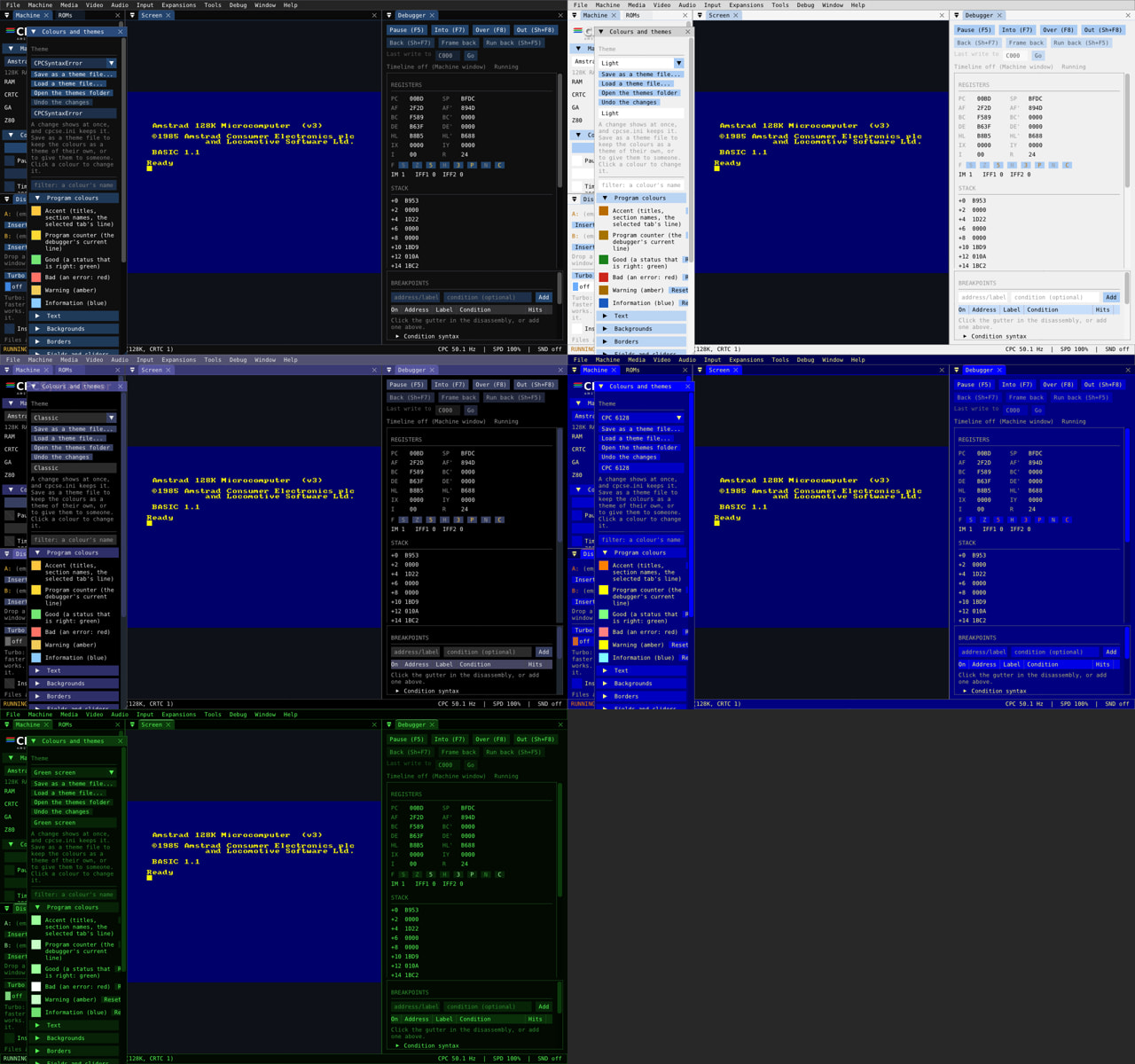
CPCSyntaxError v0.17.0
A large update of the tools and the interface.
Assembler and C windows
- Undo and redo (Ctrl+Z, Ctrl+Y or Ctrl+Shift+Z) for each tab. The history stays when the editor loses the focus (for example after F9).
- Find and replace: Ctrl+F, Ctrl+H, F3 and Shift+F3, and Enter in the find box. “Aa” matches the case, “Word” finds whole words only. All the matches on the screen are marked. Replace all is one step for Undo.
- Go to definition: F12, Ctrl+click, or the right-click menu. It looks in the file on show, then in the other files of the program, then in the symbols of the last build.
- A Labels tab lists the names the file defines (labels, EQU and macros; in C, functions,
#defineand globals). A click goes to the line. - Ctrl+/ puts a comment on or off for the selected lines (
;or//). Tab and Shift+Tab move the selected lines in or out. - A NOP column shows the cost of each line in NOPs, also for lines with several instructions separated by
:. The costs were measured on the emulated CPC. Put the mouse on a cost to see each instruction’s cost. - Drag a
.asm,.cor.basfile onto the window to open it. - RASM is now version 3.3.3 from its GitHub, with no changes of ours.
BASIC window
- It opens the files BASIC saves: tokenized, with or without an AMSDOS header, also protected ones. ASCII files open as before.
- Find and replace (Ctrl+F, Ctrl+H, F3), with “Undo the replace”.
Debugger
- Watches window: an address or a label (with an offset, such as
table+2), as a byte or a word. A value that changes shows in another colour for a second. Type a new value and press Enter to write it. - Memory → Search: bytes (
??is any byte), text (in any case) or a word, in the Z80’s 64K or in all the RAM. A click on a result shows it in the hex editor. - Export .asm (in the disassembly): a range of memory as RASM source, with labels for its jumps and calls. The export is assembled again, and what does not give back the same bytes is written as
db. The OS and BASIC ROMs of the 6128 come back byte for byte. - The timing line shows the difference to 19968 NOPs (one frame), when the count is 22000 NOPs or less.
- PSG tab: a scope for each channel, and a switch to mute each one (the sound only; the chip does not change).
Graphics Finder
- Draw on the picture, as in WinAPE. The pens of the mode are shown with their numbers, in their real colours. Tools: Pen, Line, Box, Filled box and Fill. A right-click on a pixel takes its pen.
- Undo and redo (Ctrl+Z, Ctrl+Y) for each stroke, shape, fill, paste and import.
- Right-click a pen to change its ink: the 27 CPC colours, or red, green and blue on a Plus.
- Copy tile and Paste tile.
- Import PNG into the selected tile: each pixel gets the pen with the nearest ink.
Interface
- Themes (Window → Settings → Colours and themes): a colour for each part of the interface, five themes included, and your own themes saved as
.cpcthemefiles. The default is the look the program always had. - Command palette (Ctrl+Shift+P): type part of a command’s name and press Enter.
- Copy the screen to the clipboard (Ctrl+Shift+C, or the File menu).
- Help → Keyboard shortcuts: every key of the program in one window.
3 Likes