I’ve been using Amstrad CPC floppy discs since the mid-80s (I remember when they were 50p each and not £10 each!!) and I absolutely love the way Locomotive BASIC has built-in floppy features, along with some of the powerful software such as Discology that’s available for our favourite computing platform.
There’s already a lot of good tools, PD and disk programs out there, but after years of working with external drives and Goteks, I wanted to share a brand-new suite of floppy disk tools and programs aimed at saving CPC users time, without having to keep switching between CP/M, ParaDOS and other utilities.
Simulant CPC Disc Toolkit v1.0 has been in development for a few years and is finally ready to offer commercially. Priced at £10 plus tax, it brings together the most common tools and features I’ve found I’ve needed from my own floppy-disk experiences over the years.
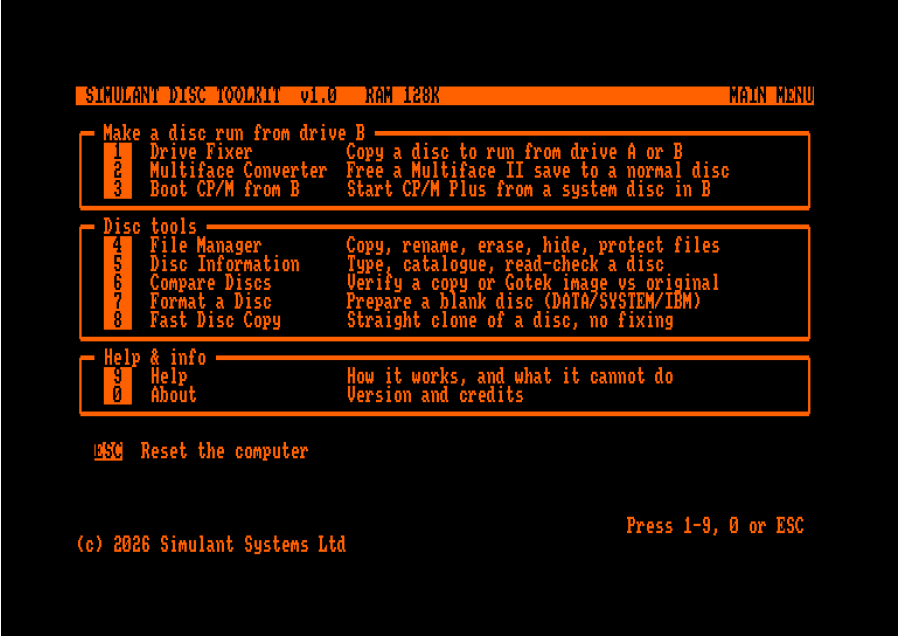
Multiface 2 Snapshot Converter – converts Multiface 2 snapshots into standard bootable floppies or .dsk images, so no Multiface hardware add-on is required.
Fast Disk Copy – quickly copies disks between drives, including A>B, B>A, A>A & B>B.
Drive Lock Fixer – most non-copy-protected or cracked Amstrad games still have to be run from Drive A and expect to find Drive A during loading too, meaning they can’t be booted from an external floppy or Gotek. This tool scans such disks and creates a patched copy that can run from a different drive to the one it is locked to.
CP/M Drive B Boot – the Amstrad CPC firmware includes a |CPM command in BASIC which looks for the CP/M System Disc bundled with the computer in the internal Drive A floppy. The toolkit allows you to boot a CP/M disc from Drive B instead.
Other useful disk tools – including Fast Copy disk cloning, File Manager (with protect, hide, delete, copy etc.), Compare Discs, and Disk Formatting with verification, supporting Vendor, System and Data formats.
Free updates - purchasing this software ensures you’ll receive free updates and new features.
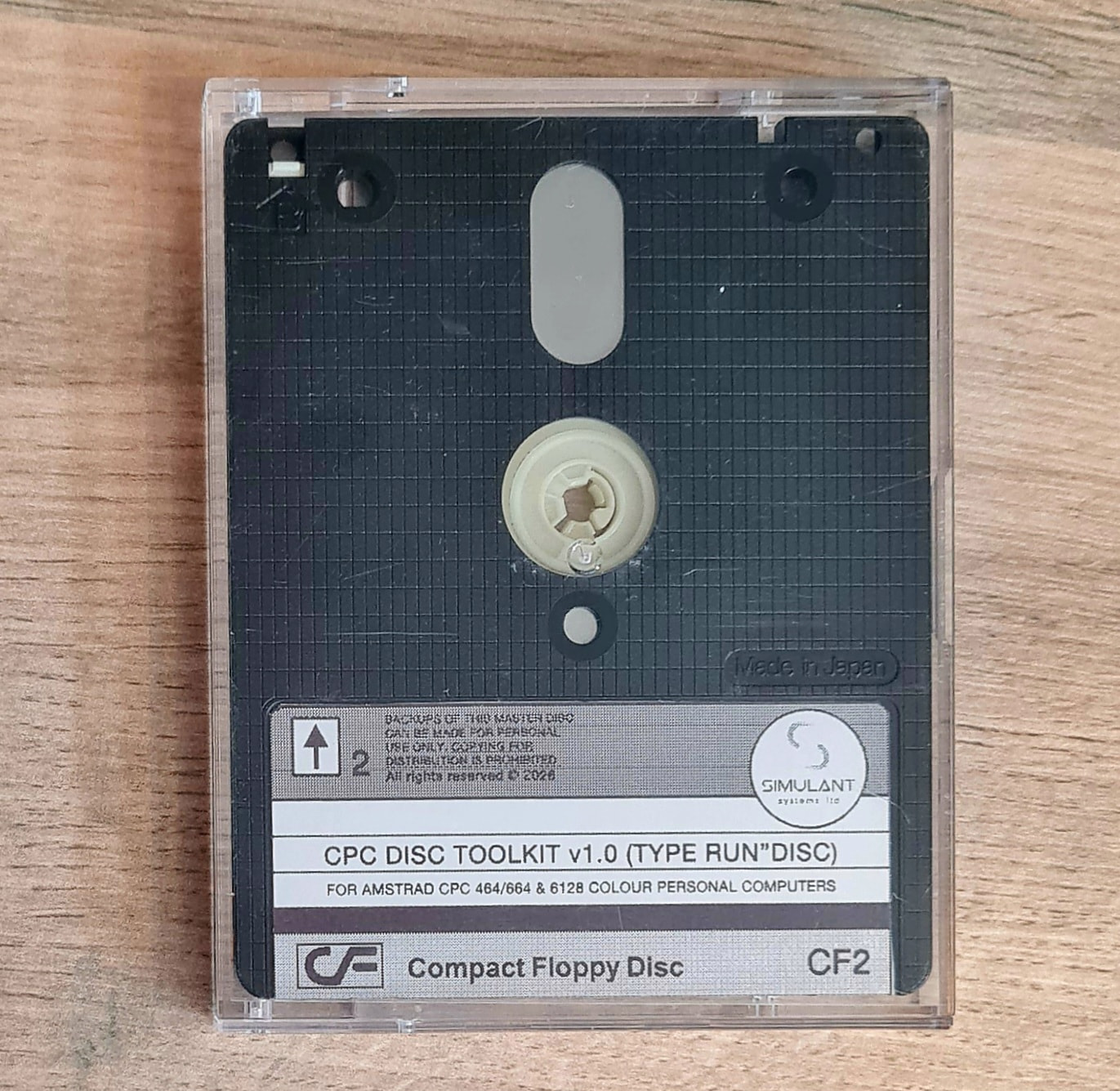
I hope you like the software! A floppy disk label artwork is included with the purchase download, along with instructions and help documentation.
No physical 3" disk copies are available currently, as they are expensive and increasingly difficult to source. The program is therefore currently sold as a downloadable .dsk image, which can be booted in emulation, copied to your own disk or run from a Gotek drive.
Thanks for your support for new Amstrad CPC software. Here’s the purchase link:
Really? “Patched copy” suggests changing up to a few bytes in an otherwise identical copy. Most certainly it only works in the most “standard” cases, like code calling the firmware. And even so allow me to doubt. Working on “any drive” implies code change, not detecting and changing one byte e.g. a A into a B or * in any place in code. That’s not how the CPC firmware works.
Algorithm theory says you cannot in general analyze what a program does without actually running it.
For a practical example, what happens if a loader program is compressed? Your program runs on the CPC, it has limited resources. Does it scan files? Then at best it sees some code that is actually a decompressor, then some compressed data. It cannot guess that hidden somewhere in the compressed data is some loader code. And even if it could, it cannot determine an alternate way of doing things and recompress to produce a patched variant.
But maybe it does something completely different and much “simpler”. E.g. if the tool runs actual programs these can overtake the machine and your tool is out. So, the idea of waiting for a program to complete loading then save something that looks like a snapshot, along with a new drive-agnostic loader, would not work. There’s a reason why “Multiface” and “Action Replay” are hardware devices, not pure software.
So, to put it short, @simulant can you provide practical examples of what the “Drive Lock Fixer” manages to fix? Which well-known non-copy-protected or cracked Amstrad games have been successfully patched by this tool?
Cheers and fair points. You’re right that for anyone comfortable with a hex editor, a PC and the right cables, a fair bit of this is trivial. That’s rather the point of it, though: it does the common jobs on the CPC itself without as much reliance on us having to use a PC, no soldering, no assembly knowledge. For the many owners who just want their drive A software running off a Gotek or an external, a quick backup, or a Multiface save turned into a normal disc, without having to do any hacking to do it.
As it stands for v1, it’s an everyday standard-disc toolkit: drive-B patching, copy / compare / format / verify, a file manager, Multiface conversion and CP/M-from-B. It won’t touch custom-format or protected discs just yet (but this is the initial release).
What adds a bit more excitement though is that v1.1 is already in development and will add a “Raw Disc Copy” that reads a disc’s track layout and reproduces it exactly, so it’ll handle the non-standard/custom-format discs that normal copiers struggle with (writing them back to real discs only though, not Gotek blank dsk images). It won’t get past flux-level protection - that still needs dedicated hardware - but it covers a lot of the odd discs people actually own.
I’m not trying to reinvent what the scene already cracked years ago - just bring many useful and common tools together to make things easier and quicker for most CPC users.
Yes the page is working now, complete with an… Amiga cursor
(I edited the first post to switch the images and make it a Featured post; I did it because the Featured feature on the homepage reads the first image of the post, and I wanted to showcase the UI instead of the photo of a disk)
Simulant CPC Disc Toolkit v1.1 has now been released!
The biggest update since launch, and still 100% native on the CPC (no CP/M needed). What’s new:
★ New “Power Tools” menu (option 9) - four tools for awkward discs:
Low-Level Disc Copy - sector-for-sector copies of custom/non-standard formats (up to 80 tracks, any sector IDs & counts).
Salvage & Repair - rescue a dying disc (fills unreadable sectors for the most complete copy possible) or refresh a tired one.
Low-Level Format - a recovery format that resets a mangled disc to a clean standard layout when a normal format gives up.
Patch Library - applies known per-title patches to a copy (never your original); the database grows with each update.
★ PCW & Spectrum +3 in the File Manager - browse and copy files on PCW (8256/8512/9512) and Spectrum +3 CP/M discs, and copy documents across formats. Open your PCW Protext files on the CPC and vice versa.
★ Smarter Disc Information - now names PCW, Spectrum +3 and Tatung Einstein discs (with correct geometry), and flags unfamiliar formats instead of just “no disc”.
★ Format now offers 80 tracks as well as 40/42.
Plus a batch of fixes from testing. Big thanks to everyone trying it and feedback always welcome! Let me know if there are any bugs and we’ll get them squashed
Still 100% native on the CPC (no CP/M needed). The headline is M4 board support:
★ M4 board support: the new M4COPY boots straight from the M4 (RUN"M4COPY) and writes any SD disc image onto a real 3″ disc, track-for-track. Custom and protected formats included, not just standard discs (a 42-track game copies and boots fine). No Gotek needed, and it can rename/erase/copy/make folders on your SD card too. With an M4 fitted, the full toolkit gets the same M4 Image Copy in Power Tools.
★ Undelete (File Manager, key D) - recover a deleted file while its data is still on the disc; it checks the blocks haven’t been reused first, so it never corrupts anything.
★ Several copies in a row - Fast Copy and Low-Level Copy now offer “Another copy?” when one finishes, so you can duplicate without heading back to the menu.
Plus more fixes from testing. Big thanks to everyone trying it, and to Steve Cooper and Duncan Styles on testing. Bug reports always welcome!
Hmm, I am not sure I am the target market for this. because I have ABBA switches & ParaDOS in most of my CPC’s with disc drives now. (The CPC664 is the exception, There no way I am drilling a hole in a machine as rare as that). If I need the raw disc copy I have 2 machines with STS Copymods and a genuine retail copy of Xexor.
Great project and I get why it’s a great idea, but sorry, not for me.
★ Languages: English, Spanish, French and German. At the main menu or in Help, hold CTRL and press keypad f0 (English), f1 (Español), f2 (Français) or f3 (Deutsch), then Y to confirm. Including the Help pages, the M4 tools and M4COPY too.
★ Long filenames in the M4 tools. The SD browser in M4COPY and M4 Image Copy now shows each entry’s full name, so long-named .dsk images open and copy properly.
Plus a batch of bug fixes and tidying up from testing.