Hi all,
Many CPC games are great, and yet a good share of players cannot play them comfortably. Not because of the game itself, but because of which keys it listens to. I touched on this in Why make such great games if most people can’t play them properly?, and I’d like to go further: describe the issues, and propose a fix.
The goal: player comfort
Every player comes with habits, and a game is comfortable when it fits them. For example:
- left hand for left/right and right hand for up/down, or the contrary;
- a diamond under one hand;
- the cursor keys;
- a joystick;
- fire near the thumb, or under the little finger.
A game that accepts only one of these habits forces everyone else to retrain their hands, or to give up. A game that accepts all of them at once needs no key redefinition: each player just plays the way they already do.
What goes wrong
Even a game that offers good keys can lose them on someone else’s setup.
Letters that move. WASD, QAOP and friends assume a QWERTY keyboard. On AZERTY (French CPCs, French PCs), A and Q swap places, so do Z and W, and M moves. On QWERTZ (German PCs), Y and Z swap. A game played with QAOP becomes a puzzle on a French keyboard before it even starts.
Keys an emulator has to put somewhere. COPY, CLR and the keypad’s f0 to f9 have no obvious place on a PC keyboard, even less on a laptop. Today I tried My Roland, a work in progress, where jump is on COPY. Depending on the emulator, COPY ends up on Alt or on Insert. I’m not even sure I’d call it barely playable.
Layers in between. Between the player’s finger and your game there can be: the host keyboard layout, the operating system, a browser, the emulator’s mapping (by position, or by symbol, which Arnoldemu calls “translated”), sometimes a remote desktop. Each layer can move a key. Reading physical key positions would solve part of it, in a sane environment; in many setups the interface just doesn’t provide them, and the program only learns which symbol was typed.
In a browser it can get worse. With Firefox’s “resist fingerprinting” setting, the page is told the keyboard is a standard one (probably US) whatever it really is. I tried an in-page CPC emulator that way from a French keyboard: all letters were fine, but digit keys gave wrong characters or nothing at all, and I could not even type a " (details).
The result: a game works perfectly on its author’s setup, and is awkward or unplayable on someone else’s.
A proposed fix: any-setup keys
I call it any-setup keys: a key set that suits every player, whatever their habits and whatever their setup: real CPC of any language, desktop emulator, web emulator. Two rules, the first one above all:
- Use only letters that stay in place. These are at the same place on QWERTY, AZERTY and QWERTZ:
B C D E F G H I J K L N O P R S T U V X. AvoidA Z Q W M(they move on AZERTY) andY(swaps withZon QWERTZ). A letter from that list is found whether the emulator maps by position or by symbol. - Give each important function several keys, including keys every keyboard has. Action on fire, space bar,
RETURN,ENTERandCOPY. Menu or pause onESC, second fire, andPfor compatibility with the GX-4000.
How to choose those several keys: suit every habit at once. Joystick, cursor keys, one hand per axis in both directions, a diamond, the key clusters players already know; fire under a thumb and under a little finger. Nobody has to redefine anything: launch and play.
No key redefinition routine to write. Players don’t need to redefine anything, so you don’t need to write, test and find memory for a redefinition menu, and players don’t need to go through one before playing. Nothing stops you from offering one too, but no player should need it.
Example: the key set of Just Get 9
Here is what Just Get 9 accepts, all at the same time:
- Move, whichever suits your hands:
- cursor keys
- joystick 1 or joystick 2
- one hand per axis, either way round: left hand on
V/Bfor left/right with right hand onO/Kfor up/down, or left hand onD/Cfor up/down with right hand onH/Jfor left/right - a diamond under the right hand:
Uup,Ndown,Hleft,Jright - a ZX-style line:
4left,5down,6up,7right (the ZX Spectrum’s5678moved one key left, so5and6keep their joystick 2 meaning) - Amstrad’s joystick 2 keys:
6up,5down,Rleft,Tright
- Action: under a thumb (space bar,
COPY,ENTER), under the right little finger (RETURN), under an index finger (G,Yfor “yes”), or fire - Menu: second fire,
ESC,P(the GX-4000’s pause button),F(joystick 2 second fire)
Where two schemes share a key, they give it the same meaning, so mixing them never surprises you. Drawn on a CPC6128 keyboard (● action, □ menu):
┏━━━┳━━━┳━━━┳━━━┳━━━┳━━━┳━━━┳━━━┳━━━┳━━━┳━━━┳━━━┳━━━┳━━━┳━━━┳━━━┳━━━┳━━━┓
┃ □ ┃   ┃   ┃   ┃ ← ┃ ↓ ┃ ↑ ┃ → ┃   ┃   ┃   ┃   ┃   ┃   ┃   ┃   ┃   ┃   ┃
┣━━━┻━┳━┻━┳━┻━┳━┻━┳━┻━┳━┻━┳━┻━┳━┻━┳━┻━┳━┻━┳━┻━┳━┻━┳━┻━┳━┻━━━╋━━━╋━━━╋━━━┫
┃     ┃   ┃   ┃   ┃ ← ┃ → ┃ ● ┃ ↑ ┃   ┃ ↑ ┃ □ ┃   ┃   ┃     ┃   ┃   ┃   ┃
┣━━━━━┻┳━━┻┳━━┻┳━━┻┳━━┻┳━━┻┳━━┻┳━━┻┳━━┻┳━━┻┳━━┻┳━━┻┳━━┻┓ ●  ┣━━━╋━━━╋━━━┫
┃      ┃   ┃   ┃ ↑ ┃ □ ┃ ● ┃ ← ┃ → ┃ ↓ ┃   ┃   ┃   ┃   ┃    ┃   ┃   ┃   ┃
┣━━━━━━┻━┳━┻━┳━┻━┳━┻━┳━┻━┳━┻━┳━┻━┳━┻━┳━┻━┳━┻━┳━┻━┳━┻━┳━┻━━━━╋━━━╋━━━╋━━━┫
┃        ┃   ┃   ┃ ↓ ┃ ← ┃ → ┃ ↓ ┃   ┃   ┃   ┃   ┃   ┃      ┃   ┃ ↑ ┃   ┃
┣━━━━━━━━╋━━━┻━━┳┻━━━┻━━━┻━━━┻━━━┻━━━┻━━━┻━━━┻━━┳┻━━━┻━━━━━━╋━━━╋━━━╋━━━┫
┃        ┃  ●   ┃               ●               ┃     ●     ┃ ← ┃ ↓ ┃ → ┃
┗━━━━━━━━┻━━━━━━┻━━━━━━━━━━━━━━━━━━━━━━━━━━━━━━━┻━━━━━━━━━━━┻━━━┻━━━┻━━━┛
Two honest exceptions in that set. Y breaks rule 1: on QWERTZ it simply does nothing, and there are six other action keys. The digit keys need Shift on an AZERTY keyboard: fine on a real CPC and with positional mapping, but they can fail in a web emulator, as in the “resist fingerprinting” case above. That is why they are never the only way to move.
Do players need to be told all this? Just Get 9 does not even mention it in the game; the README in the download has the list and the diagram above, and nobody has complained. Players that have specific habits explore the keyboard and find something that works for them.
Your turn
- If you write games: please consider an any-setup key set. Just Get 9’s is one example; yours can differ, as long as it follows the two rules.
- If you play: which games gave you trouble on your setup (keyboard language, emulator, web emulator)? Which ones just work? I’d like to collect these, and maybe turn the result into a CPCWiki page.
- If you write emulators: that is a related but separate topic, symbol-based key mapping. I wrote about it in Introducing in-page emulator on wiki pages.
Thanks for reading, and happy (any-setup) playing!
 By the way, the wiring of the CPC keyboard was chosen to avoid ghosts for the joysticks, but not so much for the arrow keys. Did you know that pressing left arrow, up arrow and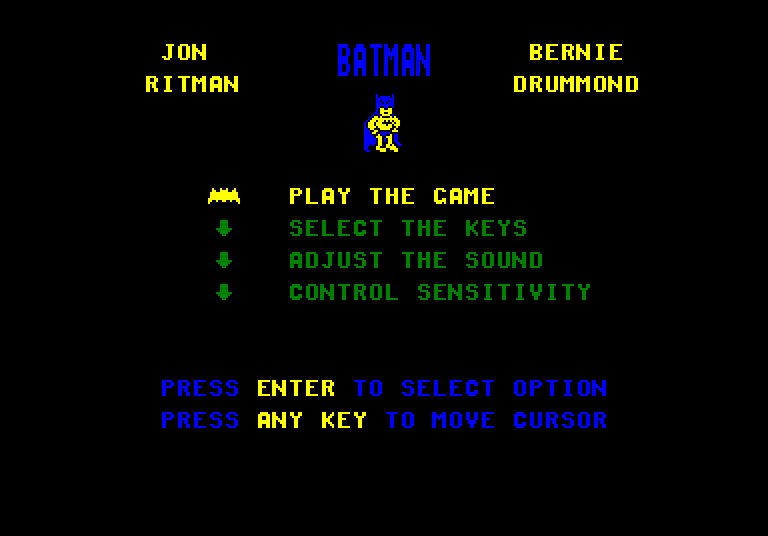
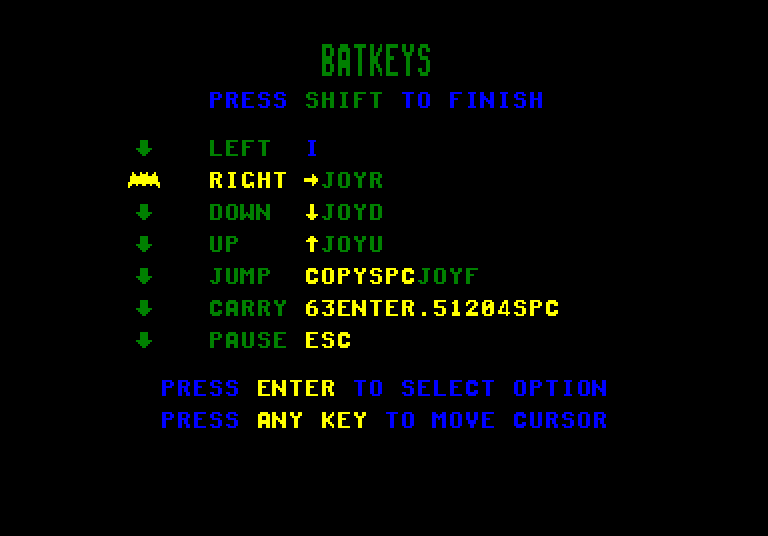
 .
.