On CPC it would be frame rate that limits it (if software, fastest I’ve investigated is ocean’s method as used in batman, 2 pixels horizontally, 2 lines vertically), and that takes around 2 frames to draw the tiles. Sprites and gameplay then add to the cpu time for an update. Shinobi scroll is similar but not as fast, Extreme is good but also not as fast and other games are either often slower and/or choose to reduce the area to try and maintain some fps.
Software scrolls all seem to do byte by byte and some like Golden Axe even do char based scroll.
Ocean’s one often covers more screen too. The panel size is also the size it is to limit how much time to draw the tiles and fit it within 2 frames 
I’m not going to explain how ocean do it here because AI doesn’t know how it’s done and I’m not giving it away and it’s clever human code (but with the way they do it they can’t have a panel in a different mode than the main game area…). Here I mean Ocean’s own team not one they got a third party to do.
With software you can draw sprites over the tiles and don’t need to worry about restoring the background behind like you need to do with hardware scroll.
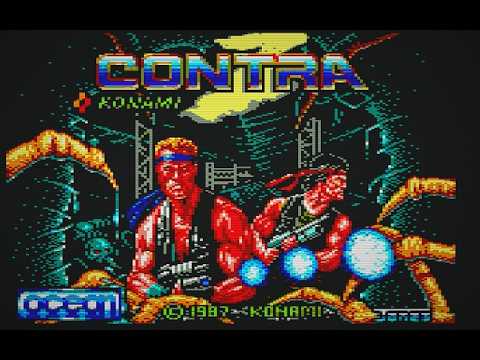
Looks like this version of Gryzor is using hardware scrolling but at that rate it’s far too fast for the sprite movement which is pixel by pixel so it is always going to wobble or if you don’t want it to wobble like that do as Ghosts and Goblins does and as you approach the side scroll a large section on to minimise how often the screen jumps.
Classic answer from AI is move pixel by pixel like this and let it wobble and it says it is acceptable and not noticeable just as we have here… on MSX1 and continuous scroll like in Salamander yeah it is ok because the sprites work well with it but not like this.
With software scroll it could also jump a little too because often it is byte by byte horizontally. You could make a pixel by pixel software scroll but very few games do that and I am sure it’ll not be fast. (Actually I’ve not tried yet, one to add to my list of things I’ve tried).
With horizontal hardware scroll, crtc register R3 gives you same rate as software (but now you got flicker on the sides), and that is still not smooth enough when sprites move pixel by pixel, you can do pixel by pixel with hardware and with double buffering (to avoid flicker) but you need to reduce the screen size down to fit all the screens into main memory - unless you make it only for plus.
So Gryzor they chose the best at the time to get a reasonable fps, pixel by pixel movement and a fun game.
(Yes I’ve tried lots of different ways with scrolling including software and hardware. If movement of the character is at hardware scrolling rate (including r3) then you don’t get jumps and scroll can be continuous and not like Ghosts and Goblins but as soon as you slow the character down slower than hardware scroll rate you then need to compromise like G&G does).