New cartridge design: ROMBA π

Some people might remember ROMBA, a cart I released almost 10 years ago, that was a Rombox with some limited DMA capabilities. As it sat there, time went by, COVID came, the CPLD that cart uses went from less than 2€ a piece to more than 10€ a piece, and the very few people that were interested in the cart lost interest.

As it seems the pricing of CPLDs with a big amount of I/O will never go down to where it was, some time ago I started thinking about making a new design focused on, again, making it cheap to build, while adding some more features. Meet ROMBA π (or ROMBA 3.14):
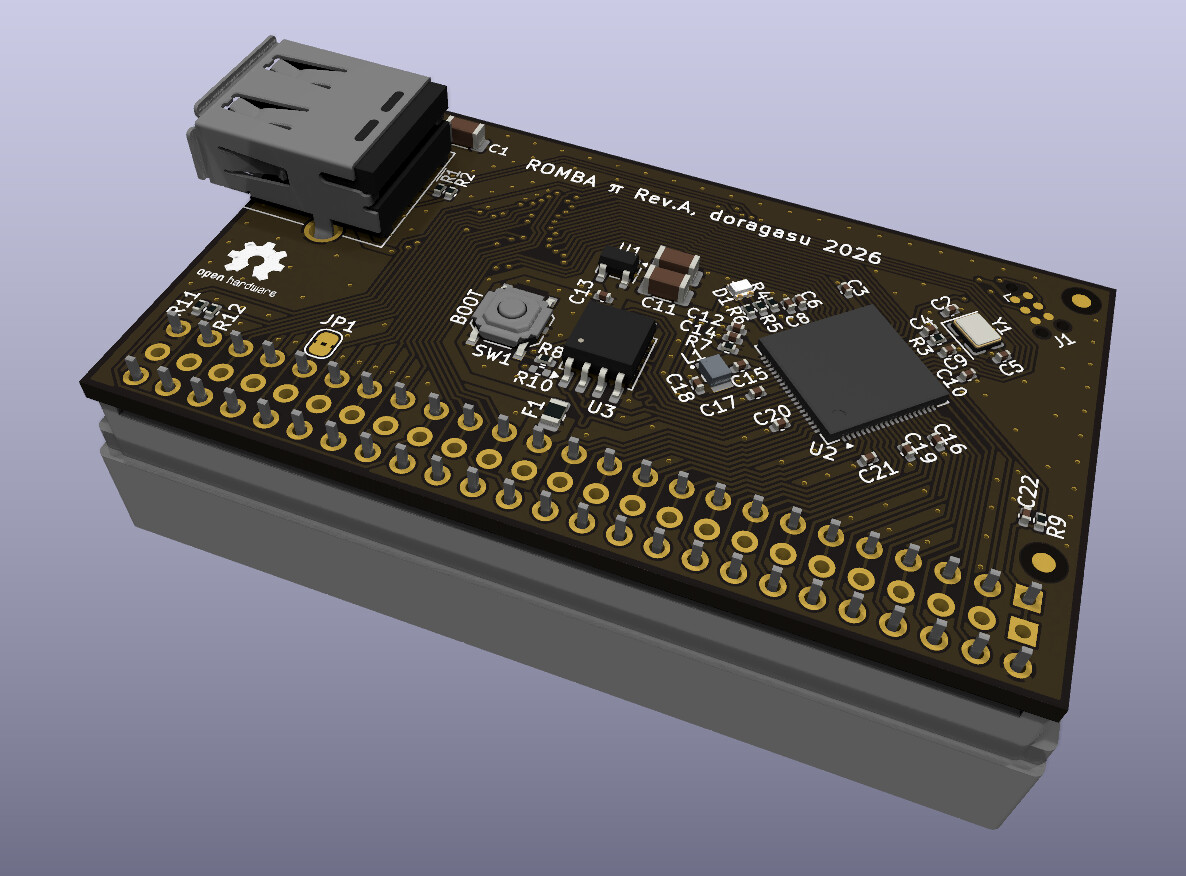
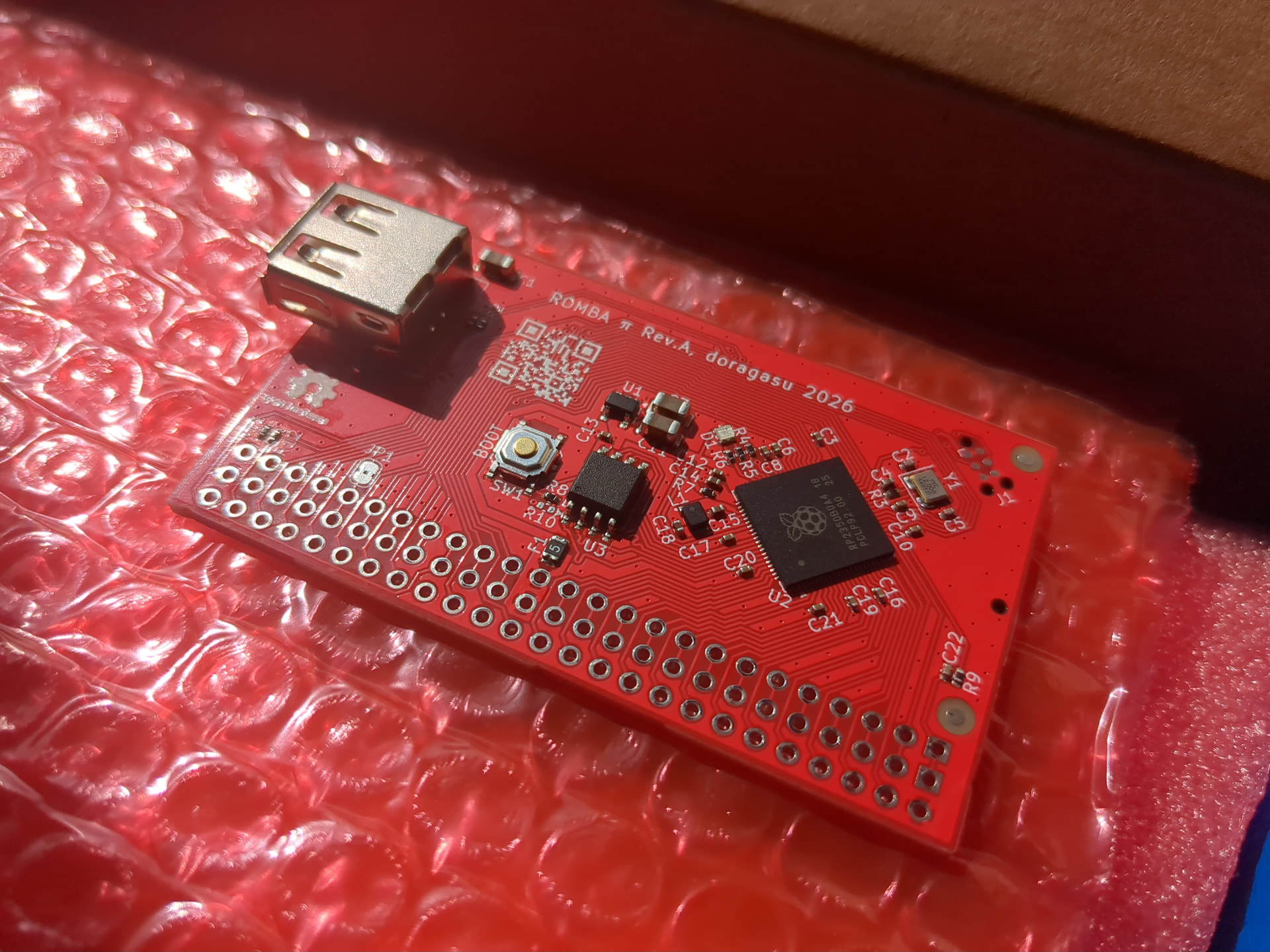
The design is based on RP2350B, a “pi-pico2” microcontroller instead of a CPLD. These microcontrollers are cheap, with plenty 5V tolerant pins and support up to 16 MiB of cheap QSPI flash memory. The cart is connected to the expansion port, and as happened with my older ROMBA cart, it can be connected directly using an edge connector, or through an MX4 board using a DIL connector.

Using an MCU instead of a CPLD/FPGA for parallel bus interfacing, combined with using QSPI flash instead of parallel NOR flash has made this quite challenging to work as Rombox because of the latencies involved in polling the bus and reading from the QSPI chip, but there it is!

The currently implemented features are:

  • Up to 16 MiB (128 megabits) Flash ROM capacity. Most is usable as ROM memory for the CPC, with the exception of the amount used for firmware (that currently is about 48 KiB but should grow if more features are added).
  • USB host port. Currently mouse support is implemented, but other USB peripherals could be added.
  • Mouse support includes configurable fractional scaling (to adjust sensitivity from the CPC side), with independent setting for X, Y and wheel.
  • Compatible with Amstrad CPC Romboxes (up to 256 slots).
  • Hardware DMA that can be used to copy data from ROM to internal RAM (1 byte per microsecond).
  • DMA engine can copy in linear mode and in 2D mode, allowing to copy tiles to the screen memory without having to worry about the oddities of the CRTC and GA.
  • DMA engine in 2D mode also supports on the fly tile mirroring for the 3 graphical modes.

Support for the features above is stable, but I would not consider the firmware feature complete as it is (more on this later). The hardware allows adding support also for these:

  • Pixel shifting for tiles.
  • Pixel masking for tiles (currently implemented but with byte granularity only).
  • Lower ROM support.
  • More complex memory mapping.
  • RAM expansion (MCU has 512 KiB RAM, and the amount not used by the firm could be used as CPC RAM).
  • Sound capabilities (FM capabilities, PCM sample playback).
  • Flash data saving.
  • Programmable NMI generator.
  • Support for DMA from CPC internal RAM to CPC internal RAM (currently only ROM to RAM is supported).

Here you can see the mouse support in action:
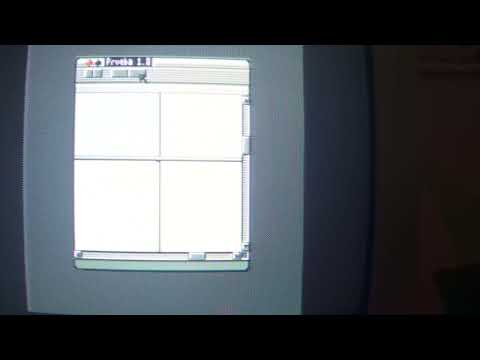
SyX has patched a bunch of games to support the mouse and I should make a video of some of these also :grinning_face_with_smiling_eyes:. He also helped me a lot with things like understanding video memory layout, and some code snippets and programs for testing.

And here you can see the 2D DMA capabilities in action:
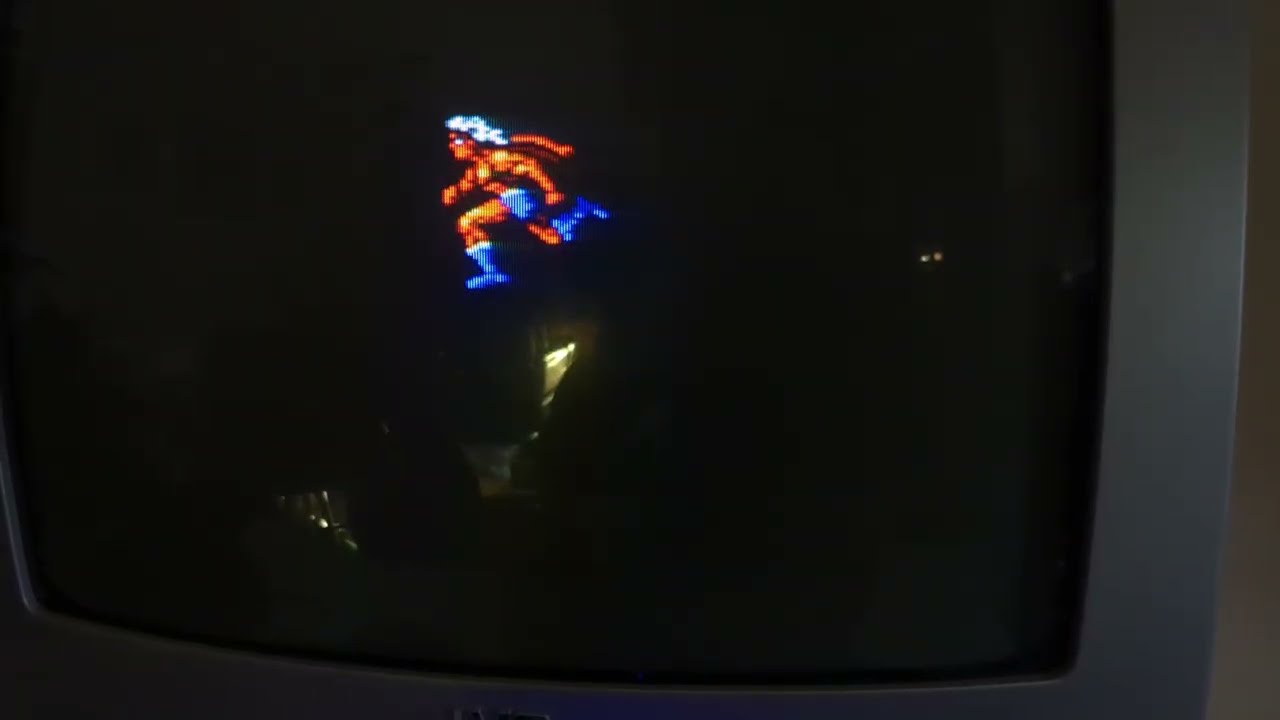
That sprite is 32x64 pixels (mode 0) and the DMA takes about 1 ms to draw it (it draws two mode 0 pixels per microsecond). The 2D DMA engine also does on the fly mirroring by hardware and handles screen clipping and masking (but in the current version everything only with byte granularity, so two mode 0 pixels).

Both hardware and firmware are released as Open Source. Documentation about how to program for these is lacking right now, but I plan to add it later.

Now, about the current “unfinished” firmware status. I wanted to add most (if not all) features listed above that are not yet implemented. But it seems a big chunk (maybe the majority?) of the CPC community only cares about software achievements and see these hardware expansions as “anti-features”, as “that is not a CPC anymore” and the like. So instead of pouring more effort into this, I am halting development until I see real interest in the cart. Like someone genuinely interested in developing for this platform using these features. Because if it is going to be my second design for the CPC that will end unused, I would rather spend my time on other hardware projects that might help other devs.

So what do you think. Is something like this interesting? Anyone interested in developing for these cheap and capable carts? Or adding anything other than memory is cheating and should be buried?

10 Likes

As a CPC hardware enthusiast, I would really like to see the project completed, although I’m not a developer, so I can’t create anything.

If this is cheap and useful (add ROM / RAM / Mouse / Some kind of fast sprite handling), I don’t see why it could not be interesting…
The populous / god games could use the mouse as a easier input. Even me, I can modify my minesweep game to use it
With Vespertino asking for a 4MB board to be able to play it, there is some room for good games with a little hardware help :slight_smile:. And they use a lot of ROM if I am not mistaken.

In your future support, I would say by priority:

  • RAM expension (it is always nice to have some in a new hardware)
  • DMA CPC RAM to CPC RAM for fast transfer of memory
  • Pixel shifting / masking for tiles
  • Sound capabilities (samples with low impact on speed/memory is nice
  • Flash data saving
  • Lower ROM support

For other points, it’s not clear enough for me to give feedbacks (more complex memory mapping / Programmble NMI). I don’t see where I would be able to use it.

Color me interested!

I find your (doragasu) presentation extremely exciting :slight_smile:

… I’ve been tinkering with a “GOD GAME” (similar to Populous) for a while now. No matter what I try, I’m constantly plagued by severe and equally stubborn performance bottlenecks. I would love to try out the new hardware (ROMBA π for sprites and mouse) as soon as it’s available. The sprites could help with the “bustling little figures” (= software sprites) on the playfield.

My personal challenge: I no longer have a CPC. I had to sell it back in the day. I only work with emulators now.

Idea: If you (doragasu) give me the specs, I’ll take a closer look at the Caprise32 CPC emulator to see whether Caprise32 can be expanded via software to match your hardware. Alternatively, create an adapter board to use the GPIO ports of a Raspberry Pi as a CPC expansion port. (Kind of crazy, but also kind of interesting). I haven’t looked at the Caprise32 code yet, but maybe all of us (the community) can come up with a suitable idea together…

Sounds interesting. Honestly I was surprised that it took so long until the RP2350B is used for such a multi-feature-expansion.

One thing I would consider: if another expansion that contains RAM is connected at the same time, you will most likely get a conflict as they will always act in parallel. E.g. a DDI-5 still makes sense in parallel to your expansion. Maybe add a switch to turn off RAM for those scenarios.

Thanks for the interest.

@SoftDevil I will write the specs later when I get some time. The mouse interface should be final as is. As an advance, this is how it works. It uses I/O ports $F990 through $F993:

Port Read Write Default
$F990 STAT N/A N/A
$F991 WHEEL_BTN WHEEL_SCALING 64 (1.0)
$F992 X_AXIS X_SCALING 32 (0.5)
$F993 Y_AXIS Y_SCALING 32 (0.5)
  • STAT: bit 0 is 1 if mouse is connected, 0 if it is not connected.
  • WHEEL_BTN: 5 higher bits are the wheel reading delta (since last read) in two’s complement, positive for wheel movement up, negative for wheel movement down. Lower 3 bits are buttons current status: M, R, L.
  • X_AXIS: X axis delta (since last read) in 8-bit two’s complement. Positive for movement right, negative for movement left.
  • Y_AXIS: Y axis delta (since last read) in 8-bit two’s complement. Positive for movement up, negative for movement down.
  • WHEEL_SCALING: fractional wheel scaling factor.
  • X_SCALING: fractional X axis scaling factor.
  • X_SCALING: fractional Y axis scaling factor.

When reading wheel and axes, you get the delta since last read, and value is reset to 0. Values saturate to their maximum/minimum (15 to -16 for the wheel, 127 to -128 for the axes) if you move the mouse quick or take too much time between readings.

The scaling factors allow adjusting the sensitivity of the mouse. They are in Q1.6 fixed point format (1 sign bit, 1 bit for integer part, 6 bit for fractional part). To get the scaling value, you have to divide by 2^16 = 64. So a scaling factor of 64 corresponds to 1.0, a scaling of 32 to 0.5, a scaling of 20 to 20/64 = 0.3125 and so on.

Using negative scaling values cause the axis to be inverted (e.g. if you set Y axis to 0xE0 that corresponds to -0.5, in addition to the 0.5 scale factor, moving up will give you negative values, and moving down will give you positive values). Using 0 as scaling value effectively disables that axis.

Each axis can be individually configured. This is useful for example for inverting specific axes as explained above, but also because sometimes having different values for each axis is needed. For example the Operation Wolf mouse patch plays much better with X scaling set to 16 (0.25) and Y scaling set to 32 (0.5) than with the same scaling for both.

For the DMA I have not time right now to explain all the registers, but will do later. Also if firmware development continues, this is expected to change. A lot. They are located from $FC00 to $FC0F:

enum rdma_reg {
	RDMA_REG_DMASRCL = 0,
	RDMA_REG_DMASRCH,
	RDMA_REG_DMASRCU,
	RDMA_REG_2D_MASK,      // For 2D mode, does not copy if mask matches
	RDMA_REG_DMADSTL,
	RDMA_REG_DMADSTH,
	RDMA_REG_DMALENL,
	RDMA_REG_DMALENH,
	RDMA_REG_SCR_WIDTH,    // In characters, e.g.: 40
	RDMA_REG_SCR_HEIGHT,   // Line height - 1 and height in chars: lllhhhhh (e.g. 0xF9)
	RDMA_REG_2D_W,         // In bytes. NOTE: height is inferred from LEN
	RDMA_REG_2D_X,         // In bytes, signed
	RDMA_REG_2D_YL,        // In lines, signed
	RDMA_REG_2D_YH,
	RDMA_REG_DMACTRL2,
	RDMA_REG_DMACTRL1,
	__RDMA_REG_MAX
};

// DMACTRL1 register masks
enum rdma_reg_dmactrl1 {
	RDMA_DMACTRL1_START_LSB = 0,    // Start DMA when 1
	RDMA_DMACTRL1_SRCINC_LSB = 1,   // SRC auto increment enable
	RDMA_DMACTRL1_DSTINC_LSB = 2,   // DST auto increment enable
	RDMA_DMACTRL1_2D_MASK_LSB = 3,  // Enable 2D masking when 1
	RDMA_DMACTRL1_2D_XMIR_LSB = 4,  // Enable mirroring on X
	RDMA_DMACTRL1_FULLADDR_LSB = 6, // 0: use bank, 1: 24 bit address
	RDMA_DMACTRL1_MODE_LSB = 7,     // 0: standard, 1: 2D
	RDMA_DMACTRL1_START_MASK = BIT(RDMA_DMACTRL1_START_LSB),
	RDMA_DMACTRL1_SRCINC_MASK = BIT(RDMA_DMACTRL1_SRCINC_LSB),
	RDMA_DMACTRL1_DSTINC_MASK = BIT(RDMA_DMACTRL1_DSTINC_LSB),
	RDMA_DMACTRL1_2D_MASK_MASK = BIT(RDMA_DMACTRL1_2D_MASK_LSB),
	RDMA_DMACTRL1_2D_XMIR_MASK = BIT(RDMA_DMACTRL1_2D_XMIR_LSB),
	RDMA_DMACTRL1_FULLADDR_MASK = BIT(RDMA_DMACTRL1_FULLADDR_LSB),
	RDMA_DMACTRL1_MODE_MASK = BIT(RDMA_DMACTRL1_MODE_LSB),
};

// DMACTRL2 register masks
// MIRORING SETTING:
// 0b00: no mirroring
// 0b01: mode 0 mirroring
// 0b10: mode 1 mirroring
// 0b11: mode 2 mirroring
enum rdma_reg_dmactrl2 {
	RDMA_DMACTRL2_XMIRR_LSB = 0, // Mirroring on X axis
	RDMA_DMACTRL2_XMIRR_MASK = 0x3,
};

Basically on initialization you have to configure a bunch of parameters related to the screen geometry, the video memory location, the source address of the sprite, etc. Then write the X, Y and mirror flags as needed, and start the DMA transaction writing to DMACTRL1. If this evolves, the idea would be having a bunch of preconfigured sprites, but currently you only have this set of register, so for example to draw a second sprite you would have to draw the first one, then change source address for the new sprite, dimensions if they change, etc. then draw it.

About people wanting to have a cart for testing: if there is enough interest I can make a bunch, but I would maybe need some advice for things like shipping, since it is something I have never done before. I live in Spain so maybe shipping inside Europe would not be problematic, but outside might be a problem.

2 Likes

Hello, I have integrated mouse support on my minesweep clone (without X/Y scaling for the moment, but I have prepared code).

But it seems that winape returns bit0 = 1 on Port F990 and so it’s ON by default (and values for deltaX deltaY are -1 by default) so maybe 0xFF when nothing answers on a port is ‘normal’ (I don’t know as I don’t use a lot of hardware.

Do you have another way to tell if ROMBOX pi is present to check the port only when possible? Or maybe invert the bit 0 or provide a specific value to check (not only one bit) like 142 or 155.

If you want to test it with your card and tell me if everything is OK I will send it by DM.

Right. Better to get rid of DDI5 in the first place and put disk emulation on the same card :wink: The RP2350 can handle both https://youtube.com/playlist?list=PLa1DevUxKDmU&si=sxcJhFYr4qiDhYtl We will probably put RAM expansion on top of ROM and disk emulation for the next PCB revision. This one lacks the required pins. Something has to give. But then, there are excellent RAM expansions such as Revaldhino’s available. But an all-in-one device is charming for sure.

In any case, the RP2350 IS AMAZING!!